
Amazon Fire TV Stick 4K Max (2nd Gen) Review: A Powerful, Future‑Ready Streaming Stick with Wi‑Fi 6E and Smarter Search
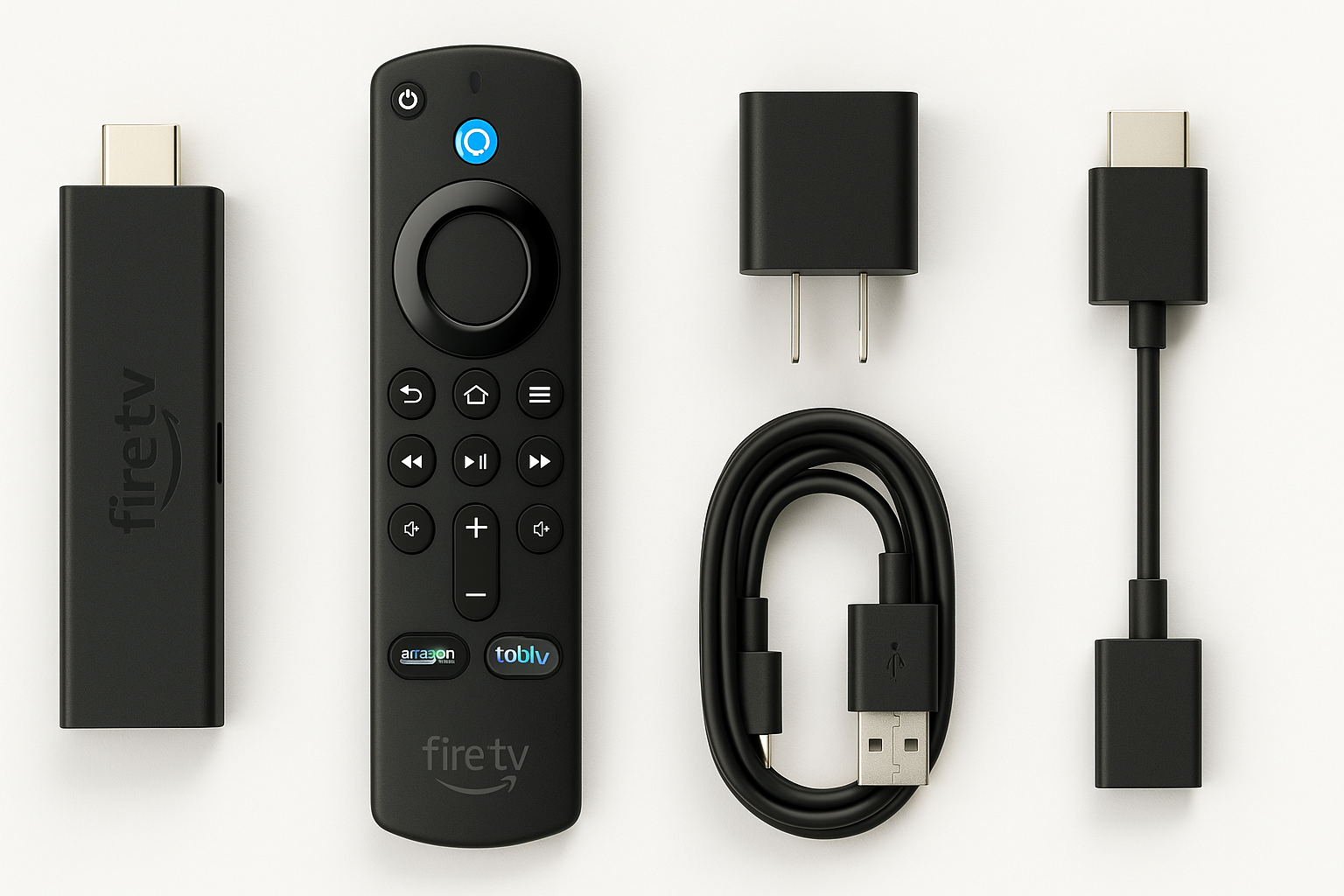
Overview
The Amazon Fire TV Stick 4K Max (2nd Gen, model B0BP9SNVH9) is Amazon’s flagship streaming stick, designed as a step up from the standard Fire TV Stick 4K. It targets users who want smoother 4K HDR playback, better wireless reliability, and more headroom for apps and games.
Key hardware highlights include a 2.0 GHz quad‑core processor, 16 GB of internal storage (double that of many earlier Fire TV sticks), Wi‑Fi 6E tri‑band support, and AV1 hardware decoding for more efficient streaming. On the software side, it runs the latest Fire OS version with an AI‑powered Fire TV Search experience and deep Alexa integration through the included Alexa Voice Remote.
If you’re moving up from an older Fire TV Stick or a smart‑TV’s built‑in apps, the 4K Max 2nd Gen offers a noticeable jump in responsiveness and format support, while still remaining an inexpensive, plug‑and‑play upgrade at around $59.99.
Standout Features
1. Wi‑Fi 6E Tri‑Band Connectivity
One of the headline features is support for Wi‑Fi 6E (802.11ax) on 2.4 GHz, 5 GHz, and 6 GHz bands. On a compatible router, the 6 GHz band can reduce congestion from neighboring networks and household devices, which helps maintain consistent 4K streams and reduces buffering.
Even on older Wi‑Fi 5 routers, the improved radio and protocol support tend to yield more stable connections compared to earlier Fire TV sticks, especially in apartments or homes dense with wireless devices.
2. 16 GB Storage (Double the Typical 8 GB)
The 4K Max 2nd Gen doubles internal storage to 16 GB, which directly addresses one of the most common pain points with older Fire TV sticks: running out of space after installing a handful of apps. With 16 GB, you can comfortably install multiple streaming services, some casual games, and a few utilities without constant micro‑management.
While a portion of that storage is used by the system and preinstalled apps, the remaining free space is still significantly higher than the 8 GB found on many competing sticks.
3. Broad 4K HDR and Audio Format Support
The device supports resolutions up to 4K UHD (2160p) at up to 60 fps and handles a comprehensive range of HDR formats, including Dolby Vision, HDR10, HDR10+, and HLG. On the audio side, it can output Dolby Atmos (via Dolby Digital Plus / EC3_JOC) and pass through advanced formats such as Dolby TrueHD and DTS‑HD to compatible receivers.
This versatility makes it a good match for everything from budget 4K TVs to more advanced home theater setups with AV receivers and Atmos soundbars.
4. AV1 Hardware Decoding
Support for AV1 hardware decoding is another notable upgrade. As major streaming services continue adopting AV1 for improved compression, this enables efficient, high‑quality 4K playback at lower bitrates, which can help maintain streaming quality on marginal connections and may reduce data usage over time.
5. AI‑Powered Fire TV Search and Alexa Integration
The updated Fire TV interface includes an AI‑powered search and recommendation engine. Paired with the Alexa Voice Remote, you can use natural language commands such as:
- “Find 4K action movies with Dolby Vision.”
- “Show me free movies I can watch tonight.”
- “Open live sports channels.”
Search spans across multiple apps and services, which can reduce time spent hopping between individual apps to find something to watch.
6. Ambient Experience
When the TV is idle, Fire TV’s Ambient Experience can turn your screen into a customizable display for artwork, widgets (like weather and calendar), and useful glanceable information. This is optional, but it adds an extra layer of polish if your TV is often left on in the background.
Supporting Features
Beyond its headline capabilities, the Fire TV Stick 4K Max (2nd Gen) includes a broad set of practical features:
- Alexa Voice Remote (with TV controls): Includes microphone for voice commands, plus power, volume, and mute buttons for controlling many TVs and soundbars.
- Bluetooth 5.2 + BLE: For pairing wireless headphones, game controllers, or speakers.
- HDMI CEC support: Allows the remote to turn your TV on and off and switch inputs (depending on your TV’s CEC implementation).
- Multiple user profiles: Helpful in households where different family members use different apps and watchlists.
- Free and live TV integration: Aggregates free, ad‑supported streaming channels and live TV apps into a unified guide, reducing friction between services.
- Screen mirroring and casting: Support for mirroring from compatible phones and tablets, plus integration with many casting‑aware apps.
Usability
Setup Experience
Setup is straightforward:
- Plug the stick into an available HDMI port on your TV.
- Connect the included USB power cable and adapter.
- Pair the Alexa Voice Remote (usually automatic on first boot).
- Connect to your Wi‑Fi network and sign in with (or create) your Amazon account.
The process typically takes only a few minutes, with guided prompts throughout. Users already invested in the Amazon ecosystem will find settings, app purchases, and some preferences carry over automatically.
Interface and Navigation
The Fire TV interface emphasizes Amazon’s own content and services but also surfaces recommendations from major third‑party apps. Navigating the home screen, opening apps, and scrolling through carousels is generally snappy, thanks to the upgraded CPU and GPU.
The AI‑powered search works best when you lean on voice input. The text‑based search remains available, but speaking into the remote is often faster and more accurate, especially for longer or more specific queries.
Voice Control and Smart Home Integration
With the Alexa Voice Remote, you can:
- Launch apps (e.g., “Open Netflix”).
- Control playback (“Pause,” “Skip ahead 30 seconds”).
- Adjust compatible smart‑home devices (“Dim the living room lights,” “Show the front‑door camera” on supported equipment).
If you have other Alexa devices (like an Echo speaker), the Fire TV Stick can integrate into routines and multi‑device setups, further blurring the line between streaming device and smart‑home hub.
Content Ecosystem
The Fire TV platform includes virtually all major streaming services, including (availability can vary by region):
- Prime Video
- Netflix
- Disney+
- Hulu
- Max
- YouTube and YouTube TV
- Paramount+, Peacock, and other network‑specific apps
- A wide range of free, ad‑supported streaming services
As with any platform, app quality and performance can vary, but the 4K Max’s hardware helps ensure that even heavier apps remain responsive.
Performance
Day‑to‑Day Responsiveness
In everyday use, the 4K Max (2nd Gen) feels quicker than lower‑tier Fire TV Sticks and many built‑in TV operating systems. App launches, content previews, and menu transitions are usually fluid. Multitasking between apps is helped by the additional RAM and storage, reducing how often apps need to fully reload.
Streaming Quality and Stability
With a solid internet connection and a decent router, the device streams 4K content with HDR reliably. Wi‑Fi 6E can further improve stability in congested environments, but even on standard Wi‑Fi 5 networks, most users will see reliable performance.
Support for AV1, combined with hardware decoding for common codecs like H.264 and HEVC (H.265), means the stick is well‑positioned for current and near‑future streaming formats.
Gaming and Heavy Apps
While not a dedicated gaming console, the 2.0 GHz quad‑core CPU and upgraded GPU are sufficient for casual games and cloud‑gaming clients. You can pair a Bluetooth controller for a more console‑like experience. That said, more demanding local games will still be limited by the stick’s mobile‑class hardware.
Thermal and Power Considerations
As a compact HDMI dongle, the 4K Max can become warm to the touch during extended 4K streaming or gaming sessions, particularly if it is tightly enclosed behind a wall‑mounted TV. In typical setups, this warmth does not impact performance, but ensuring some airflow around the device is advisable.
Pros and Cons
Pros
- Fast, responsive performance for a streaming stick, even with heavier apps.
- Wi‑Fi 6E tri‑band support improves reliability on modern routers and in congested wireless environments.
- 16 GB of storage helps reduce low‑space warnings and allows more apps and games.
- Comprehensive format support, including Dolby Vision, HDR10/10+, HLG, Dolby Atmos, and AV1 hardware decode.
- AI‑powered Fire TV Search and Alexa integration simplify content discovery and voice control.
- Ambient Experience turns an idle screen into a useful or decorative display.
- Compact, plug‑and‑play form factor that can easily move between TVs.
Cons
- Fire TV interface is heavily Amazon‑centric, with prominent promotions and recommendations.
- Some users may still prefer the cleaner UI and app quality on rival platforms (e.g., Apple TV, Google TV) depending on ecosystem loyalty.
- Limited by the constraints of a streaming stick form factor—no Ethernet port without an optional adapter and limited suitability for intensive local gaming.
- Occasional reports of app‑specific issues or audio‑format quirks may require troubleshooting or firmware updates over time.
Summary
The Amazon Fire TV Stick 4K Max (2nd Gen) is a strong choice for anyone seeking a capable, future‑ready 4K streaming stick. Its combination of Wi‑Fi 6E, AV1 decoding, generous 16 GB storage, and robust HDR / audio format support make it particularly appealing for users with modern 4K TVs and more demanding home networks.
If you primarily stream in HD, have a basic Wi‑Fi setup, and only use a couple of apps, a cheaper Fire TV Stick may still suffice. However, for households that stream a lot of 4K content, juggle multiple services, or want smoother performance and more storage headroom, the Fire TV Stick 4K Max 2nd Gen justifies its modest premium over entry‑level models. At roughly $59.99, it delivers a strong balance of speed, features, and long‑term value in a highly compact form factor.