
Apple iPad 10.2-Inch (Wi‑Fi, 32GB, Space Gray, Renewed): Still a Smart Entry-Level Tablet?
Introduction
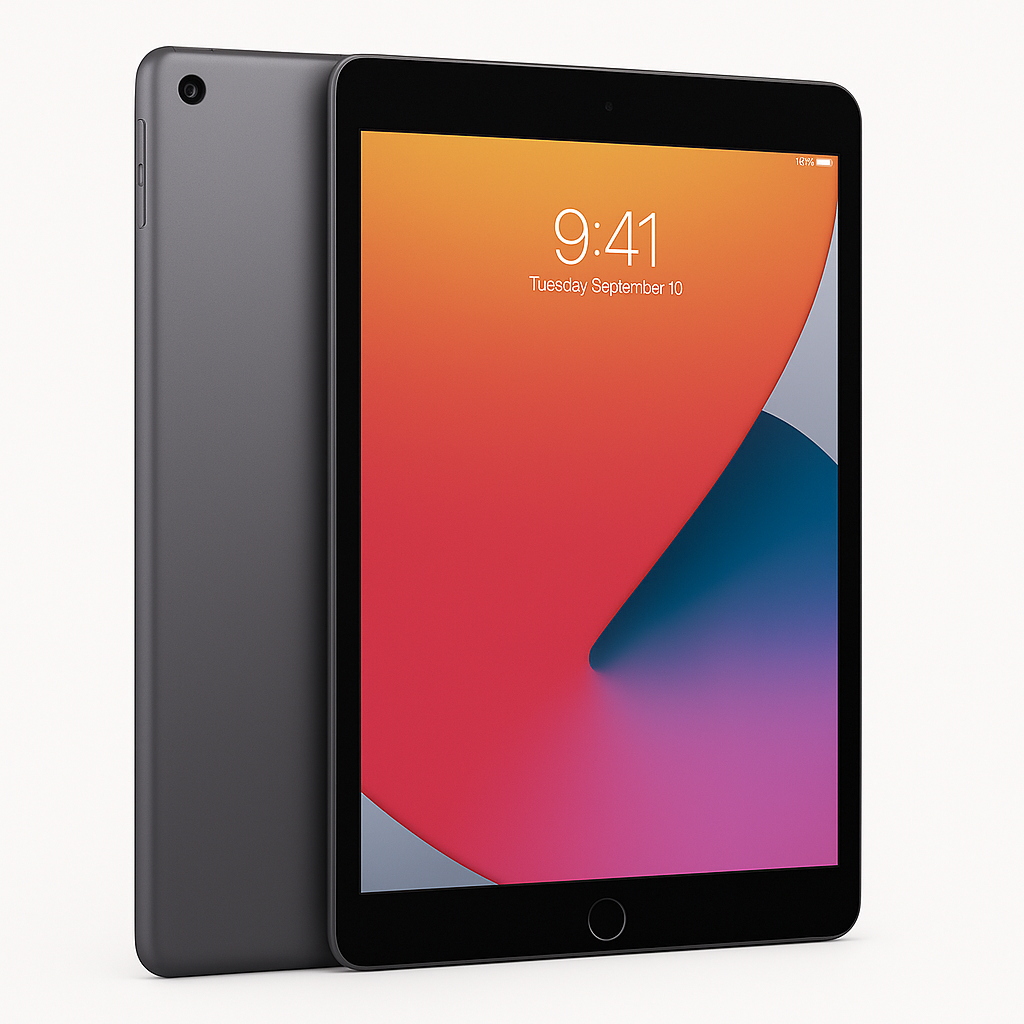
The Apple iPad, 10.2‑Inch, Wi‑Fi, 32GB, Space Gray (Renewed) targets buyers who want an affordable way into the iPad ecosystem without paying for the latest generation. As a renewed or refurbished unit, it promises the familiar 10.2‑inch Retina display, access to iPadOS and the App Store, and compatibility with accessories like the first‑generation Apple Pencil and Smart Keyboard—all at a lower cost than a new iPad, often around $101.00 depending on availability and condition.
This review focuses on what you can realistically expect from this renewed model in 2026: how it sets up, how it behaves in daily use, and whether its performance and storage are still adequate.
Setup / Getting Started
Getting started with a renewed 10.2‑inch iPad is essentially the same as with a new one:
-
Physical condition & unboxing
Most reputable renewed programs ship the iPad with a generic box, a Lightning cable, and a compatible charger. Cosmetic condition can vary, but many units are graded to show minimal wear. Expect minor hairline scratches at most; deeper scuffs or dents are typically filtered into lower cosmetic grades. -
Initial power‑on and updates
- On first boot, you’ll go through Apple’s standard setup assistant: language, Wi‑Fi, Apple ID, and privacy settings.
- A renewed iPad may ship with an older iPadOS version. Plan on a sizable update during setup, which can take 20–40 minutes depending on your connection.
-
Restoring or starting fresh
- Restoring from an iCloud or iTunes backup is straightforward but can quickly consume the 32GB storage, especially if you carry over many apps, games, or large photo libraries.
- Starting fresh is recommended if you want to keep the device lean: install only the apps you truly need and rely on cloud storage (iCloud, Google Drive, OneDrive) for documents and photos.
-
Accessory pairing
- Pairs with Bluetooth keyboards, headphones, and game controllers without issue.
- Supports the first‑generation Apple Pencil, which is useful for note‑taking and light illustration.
- Works with Apple’s Smart Keyboard for basic productivity, though there are many third‑party keyboard cases that can be more cost‑effective.
Overall, the setup process is smooth and familiar, but plan time for updates and consider how you’ll manage storage from day one.
Daily Usage
For everyday tasks, this renewed 10.2‑inch iPad remains very capable, especially if your needs are light to moderate.
Media consumption
- The 10.2‑inch Retina display is bright and sharp enough for streaming video, reading, and browsing. Colors are accurate, and viewing angles are wide.
- Stereo speakers provide decent audio for watching shows and casual YouTube viewing, though they can’t match the fuller sound of newer iPads with more advanced speaker setups.
Web browsing and social apps
- Safari and most social media apps run smoothly for typical use: scrolling feeds, reading articles, and checking email.
- With several tabs and apps open simultaneously, you may see occasional reloads or minor slowdowns compared to newer iPads, but performance is generally acceptable for casual users.
Note‑taking, school, and light productivity
- Paired with a keyboard or Apple Pencil, the iPad works well for students and light office work:
- Taking notes in apps like Apple Notes, Notability, or GoodNotes.
- Editing documents in Microsoft Office or Google Docs.
- Participating in video calls via Zoom or Teams.
- Split View and Slide Over multitasking features in iPadOS remain useful, although the older processor may feel stretched with multiple heavy apps open.
Gaming and creative apps
- Casual and moderately demanding games from the App Store generally run fine, though load times may be longer and graphical settings may auto‑adjust downward in newer titles.
- Light photo editing and simple drawing/illustration are doable, but professional‑grade workflows (large Photoshop files, complex music production, or video editing) will feel constrained, both by processing power and the 32GB storage limit.
In daily use, the renewed iPad is best suited to media, browsing, schoolwork, and casual gaming, rather than heavy creative or professional workloads.
Performance & Reliability
Because this is a renewed unit, two factors matter especially: hardware performance and refurbishment quality.
Processing power and OS support
- The 10.2‑inch 32GB Wi‑Fi iPad in this configuration typically corresponds to the 7th or early 8th generation hardware, using Apple’s older A‑series chips.
- For everyday tasks, performance remains serviceable, but you should expect:
- Occasional stutters with heavier web pages or multitasking.
- Longer app launch times compared with current‑generation iPads.
- Gradual OS support tapering off in the coming years; while it still runs modern iPadOS today, major updates may cease sooner than for newer models.
Battery life
- When new, this generation of iPad was rated for around all‑day use (Up to ~10 hours of mixed browsing and video).
- On a renewed device, actual battery health depends on the refurbisher’s standards:
- Better programs replace the battery if it falls below a set health threshold.
- Others may retain the original battery if it still passes basic tests.
- In typical real‑world use, you can still expect a full school or work day on light tasks, but heavy video streaming or gaming will drain it faster.
Storage constraints
- The 32GB capacity is the main functional limitation:
- After the operating system and preinstalled apps, you may have roughly half of that free for apps, media, and downloads.
- A handful of large games or offline video downloads can quickly consume the remaining space.
- Using cloud storage and regularly clearing downloads is essential for a smooth experience.
Reliability and refurbishing standards
- A properly renewed iPad should have:
- All core functions tested (Wi‑Fi, cameras, speakers, microphone, buttons, touch screen).
- Cleaned surfaces and replaced or high‑quality third‑party charger and cable.
- Still, there can be unit‑to‑unit variation. It’s important to check:
- Return policy and warranty length.
- Grading criteria for cosmetic and functional quality.
If bought from a reputable seller with a clear return window, reliability is generally strong, and most issues will show up early in use.
What Works Well
-
Excellent value for basic iPad use
The combination of the 10.2‑inch Retina display, mature iPadOS, and App Store access makes this renewed iPad a cost‑effective way to get a solid tablet experience without paying for the latest hardware. The presence of a price point around $101.00 often undercuts new base‑model tablets while offering better long‑term app support than many budget Android devices. -
Strong ecosystem and app support
- Access to a vast library of educational, creative, and productivity apps.
- Seamless integration with iCloud, iMessage, FaceTime, and other Apple services.
-
Good for students and casual users
- Handles note‑taking, reading PDFs, streaming lectures, and basic writing tasks reliably.
- Works well for casual gaming and media consumption.
-
Accessory compatibility
- Support for Apple Pencil (1st gen) enables handwritten notes and simple artwork.
- Smart Keyboard and third‑party keyboard cases turn it into a light productivity machine.
-
Battery life that still holds up
Even accounting for some battery wear, the device often lasts through a typical day of light‑to‑moderate use on a single charge.
What Could Be Improved
-
Limited 32GB storage
- This is the most restrictive aspect of the device. With modern apps and media files growing in size, 32GB fills quickly.
- Users who want many locally stored games, movies, or large productivity files will likely encounter frequent “storage almost full” warnings.
-
Aging processor and future OS support
- While adequate today, the chip inside this generation of iPad is several years old.
- Over time, newer apps and system updates may feel slower, and full OS upgrades will eventually stop arriving.
-
Older Lightning connector
- Uses the Lightning port instead of USB‑C, meaning you remain dependent on older cables and dongles.
- If the rest of your devices are moving to USB‑C, this increases cable clutter.
-
Potential variability in renewed quality
- Cosmetic condition and battery health can differ between units and sellers.
- You’re more dependent on good return policies and seller transparency than with a new unit.
-
Basic camera system
- Front and rear cameras are fine for video calls and document captures but not competitive with more recent iPads or smartphones for photography.
Overall Impression
The Apple iPad, 10.2‑Inch, Wi‑Fi, 32GB, Space Gray (Renewed) remains a compelling option if you:
- Want an affordable entry into the iPad ecosystem.
- Primarily use your tablet for media, browsing, schoolwork, and light productivity.
- Are comfortable managing storage carefully and don’t need cutting‑edge performance.
For those users, the trade‑off of older hardware and 32GB of storage is offset by the lower cost and still‑solid user experience, especially when priced around $101.00. If you anticipate heavier workloads, installing many large apps, or needing several more years of top‑tier performance and OS support, a newer iPad with more storage (and ideally USB‑C) will be a better long‑term investment.
As it stands, this renewed 10.2‑inch iPad is a practical, budget‑friendly tablet that continues to handle the fundamentals well, provided you go in with realistic expectations about its age and limitations.