
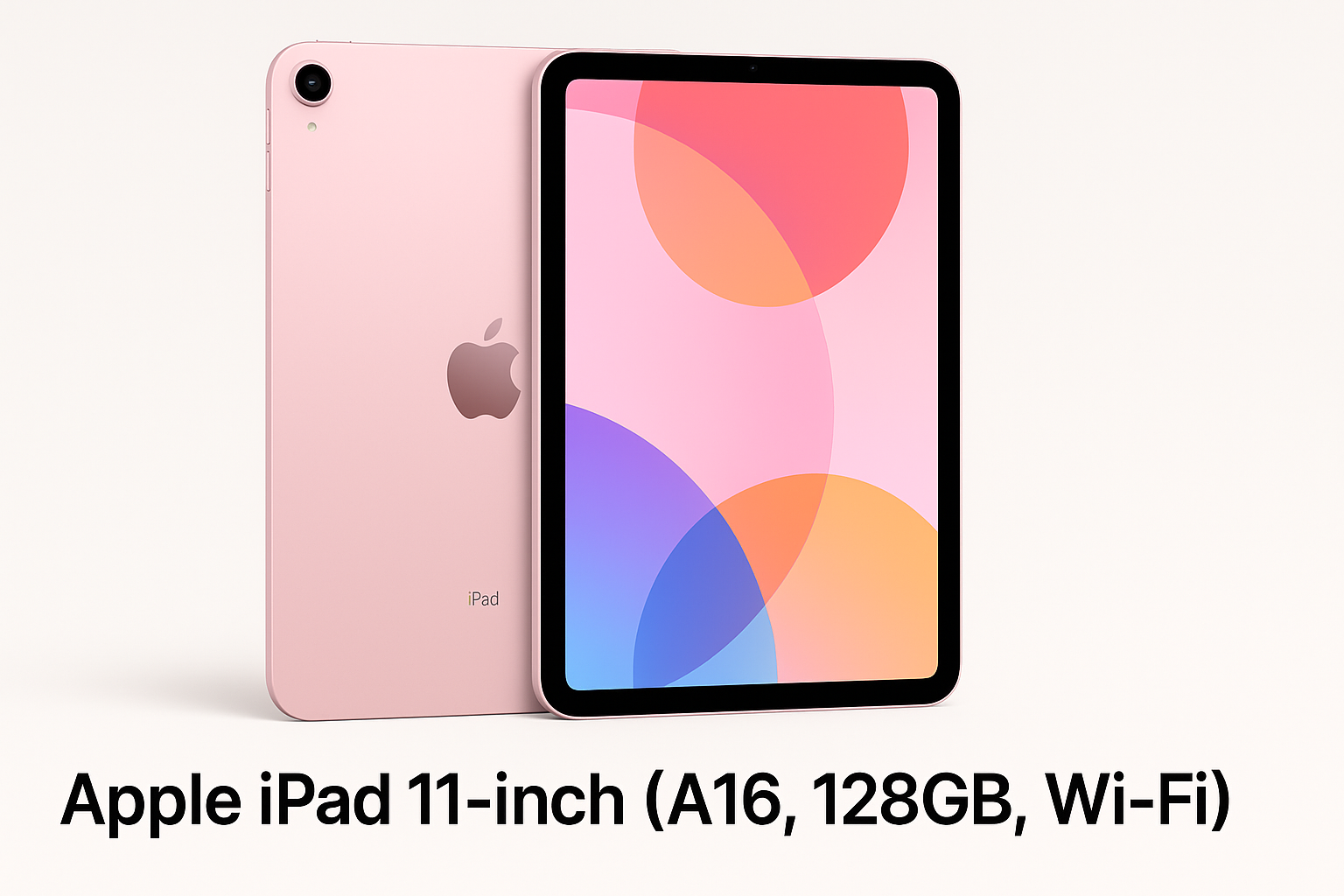
Apple iPad 11‑inch (A16, 128GB, Wi‑Fi, Pink) Review: A Mainstream iPad With Pro‑Like Punch
Product Context
The Apple iPad 11‑inch (A16, 128GB, Wi‑Fi, Pink) sits in Apple’s lineup as a capable mid‑tier tablet designed to balance performance, portability, and price. It’s aimed at users who find the basic iPad too limiting for multitasking, creative work, or light productivity, but who don’t need advanced Pro‑level features like high‑refresh‑rate ProMotion or top‑end camera arrays.
In this configuration, you get:
- 11‑inch Liquid Retina display
- A16 Bionic chip
- 128GB internal storage
- Wi‑Fi 6 connectivity
- 12MP front camera and 12MP rear camera
- Touch ID (integrated into the top button)
- Claimed all‑day battery life
- A slim, 1.05 lb chassis in a Pink finish
On Amazon, this model is typically positioned around $299.00, which puts it in direct competition with mid‑range Android tablets and Apple’s own smaller or older iPads.
Feature Breakdown
Design and Build
The 11‑inch iPad follows Apple’s now‑familiar flat‑edged design language with thin bezels and an aluminum unibody. The Pink colorway adds a soft, modern aesthetic that will appeal if you want something more distinctive than classic silver or space gray.
Key physical traits:
- Dimensions: roughly 9.79 x 7.07 x 0.28 inches
- Weight: about 1.05 lb (light enough for one‑handed use in portrait mode for short periods)
- Port layout: a single USB‑C port, top‑button Touch ID, and volume keys on the side
Overall build quality is high, as expected from Apple: minimal flex, clean seams, and a premium feel that justifies its positioning.
Display: 11‑inch Liquid Retina
The 11‑inch Liquid Retina panel is a key selling point over smaller or non‑laminated iPads.
What it offers:
- Resolution and sharpness suitable for crisp text, comics, and 1080p/1440p video
- Wide color (P3) support and accurate color reproduction for casual photo editing and media consumption
- Good brightness for indoor use and acceptable performance in bright environments
What you do not get (compared with iPad Pro models):
- No ProMotion (high refresh rate), so scrolling and Apple Pencil strokes won’t look quite as fluid
- No mini‑LED or OLED; HDR impact is more modest
For most users—students, everyday media consumers, and light creative work—the screen is more than sufficient and feels premium.
A16 Bionic Chip
The A16 is a powerful SoC that brings near‑flagship iPhone‑class performance into a mid‑tier iPad. It’s more than enough for:
- Web browsing with many tabs
- Mainstream games and most 3D titles at high settings
- Multitasking with Split View and Slide Over
- Photo editing and light to moderate video editing
Compared with older A13/A14‑based iPads, the A16 jump is significant in responsiveness and future‑proofing. For most tablet tasks, you are more likely to hit RAM or storage limits than raw CPU/GPU constraints.
Storage: 128GB
The base storage of 128GB is a practical choice for this class of device:
- Comfortable for mixed use (apps, offline media, photos, documents)
- Sufficient for a couple of large games and creative apps plus local files
Heavy video editors or users who keep large local media libraries may still want higher storage, but 128GB is a more realistic starting point than 64GB for long‑term use.
Connectivity: Wi‑Fi 6
Support for Wi‑Fi 6 improves wireless performance and stability on compatible routers:
- Better throughput and latency on congested networks
- More efficient connection for video streaming and cloud apps
There’s no cellular radio in this specific configuration, so on‑the‑go connectivity depends on hotspot tethering from a phone or other device.
Cameras: 12MP Front and Back
The inclusion of 12MP cameras on both front and rear makes the iPad more versatile:
- Front camera: Ideal for video calls, online classes, and remote meetings. Center‑stage‑style framing and the wide field of view make it comfortable for group calls.
- Rear camera: More than adequate for scanning documents, capturing whiteboards, occasional photos, or short videos.
You shouldn’t buy this for serious photography, but the cameras elevate it above many budget tablets that treat imaging as an afterthought.
Touch ID and Accessories
- Touch ID: Integrated into the top button, Touch ID is fast, reliable, and convenient for unlocking the device and authorizing App Store or Apple Pay purchases.
- Accessory support: Works with compatible Apple Pencil and keyboard accessories (exact compatibility depends on the generation of Pencil and specific keyboard folio), enabling note‑taking, drawing, and laptop‑like typing.
Performance Insights
In everyday use, the A16 chip translates into a noticeably smooth experience:
- App launches are snappy, and switching among recent apps is fluid.
- Split‑screen multitasking (for example, Safari + note‑taking, or video call + document) feels responsive with minimal frame drops.
- Graphic‑intensive games run at high settings with stable frame rates.
For productivity:
- Office suites, PDF annotation apps, and web‑based tools run without strain.
- Light photo editing and short‑form video editing projects are manageable; larger, multi‑layer timelines will push the device harder but remain feasible with patience.
Thermal behavior is also well‑controlled; under prolonged loads, the tablet may get warm but generally maintains performance without obvious throttling in typical consumer workloads.
Battery life is rated for all‑day use, which in practical terms usually means a full day of mixed tasks like browsing, streaming, and writing. Heavier 3D gaming or continuous high‑brightness use will shorten that, but most users can expect to charge once per day or every other day depending on habits.
Usability
Everyday Experience
Setup is straightforward, especially if you already live in the Apple ecosystem:
- Quick onboarding and sign‑in with your Apple ID
- Automatic syncing of iCloud photos, notes, and apps where applicable
The 11‑inch form factor is a versatile sweet spot:
- Large enough for comfortable split‑screen multitasking
- Compact enough to use on a couch, airplane seat, or commute
The Pink finish adds an element of personalization without being overly bright or distracting.
Typing and Input
- On‑screen keyboard: Good for short to medium messages and notes; landscape mode works reasonably well for longer typing sessions.
- External keyboard compatibility: Attaching a compatible keyboard case transforms the iPad into a lightweight pseudo‑laptop for writing, email, and document editing.
- Stylus input: With a compatible Apple Pencil (or third‑party stylus for basic input), this iPad becomes a strong tool for handwritten notes, diagrams, and casual illustration.
Audio and Media
Speakers provide clear, reasonably loud audio suitable for streaming and casual gaming. Paired with the display, this makes the iPad well‑suited to:
- Watching movies or series
- Listening to music or podcasts
- Following along with online courses
There is no 3.5mm headphone jack, so wired audio requires USB‑C or an adapter.
Trade‑offs
While the Apple iPad 11‑inch (A16, 128GB, Wi‑Fi) is a strong all‑rounder, there are some compromises to be aware of:
Compared to iPad Pro
- Display tech: No ProMotion (120Hz) and no mini‑LED/OLED panel. If you prioritize the absolute smoothest scrolling and the best HDR video, the Pro remains superior.
- Audio and cameras: Pro models typically offer more advanced speaker setups and camera features, including LiDAR on some configurations.
Compared to Cheaper iPads or Android Tablets
- Price: Even at around $299.00, it remains more expensive than many Android tablets and some entry‑level iPads. You pay a premium for Apple’s ecosystem, performance, and long‑term software support.
- Base configuration limitations: 128GB is better than older 64GB bases, but heavy local‑storage users may find it limiting over time.
- No cellular in this SKU: If you need always‑on connectivity without hotspotting, you’ll need to step up to a cellular variant.
Ecosystem Considerations
- Best experience comes if you already use an iPhone, Mac, or other Apple devices (iCloud, Handoff, iMessage, etc.).
- Accessory costs (Apple Pencil, keyboard cases) can add significantly to the overall outlay.
Conclusion
The Apple iPad 11‑inch with A16 chip, 128GB storage, Wi‑Fi 6, and 11‑inch Liquid Retina display is a well‑balanced tablet that delivers near‑Pro performance in a more approachable package. Its strengths include a bright, color‑accurate screen, powerful processor, strong battery life, and a form factor that works equally well for entertainment, study, and light creative or professional work.
It’s best suited for:
- Students who need a tablet for note‑taking, research, and media
- Home users who want a fast, responsive device for browsing, streaming, and communication
- Casual creators and professionals who do occasional photo or light video editing, sketching, or document review
If you require the absolute best display and accessory ecosystem for intensive creative or professional workflows, the iPad Pro line still holds the edge. However, if you want a modern, powerful iPad that should remain capable for years, without fully Pro‑level pricing, this 11‑inch A16 model is a compelling middle ground—especially when you can find it near $299.00 on Amazon.