
Blink Mini Indoor Camera Review: Compact Alexa-Ready Security on a Budget
Updated: 03/20/2026
Created: 03/20/2026
Introduction
The Blink Mini – Compact indoor plug-in smart security camera (White) is Amazon’s entry-level wired camera for basic indoor monitoring. It offers 1080p HD video, infrared night vision, motion detection, and two-way audio in a small cube-style housing that plugs directly into a wall outlet via USB power.
Positioned as an affordable way to keep an eye on living rooms, hallways, home offices, or pets, the Blink Mini emphasizes quick setup through the Blink app and tight Alexa integration. Rather than competing with feature-heavy security systems, it focuses on delivering core functionality with minimal complexity.
If you’re already invested in Amazon’s ecosystem and want a simple, always-powered indoor camera, the Blink Mini is designed to fit that role.
Key Points
- Resolution & video quality: 1080p HD video with a fixed lens suited for small to medium rooms.
- Night vision: Infrared night vision provides black-and-white footage in low light.
- Power: Plug-in design (no batteries) for continuous operation.
- Smart features: Motion detection, customizable motion zones (via app), and alerts.
- Audio: Two-way audio with built-in microphone and speaker.
- Smart home integration: Works with Alexa for live view, arming, and announcements on compatible devices.
- Storage: Cloud recording via Blink subscription; some configurations support local storage through a Blink Sync Module (sold separately) with USB drive.
- Use cases: Indoor monitoring of doors, hallways, kids’ rooms, apartments, and pet cams.
If you’re shopping around, the Blink Mini generally sits in the budget indoor camera segment, with a typical street price around $14.99 for the single-camera kit on Amazon.
Experience
Setup and Installation
Getting the Blink Mini running is straightforward:
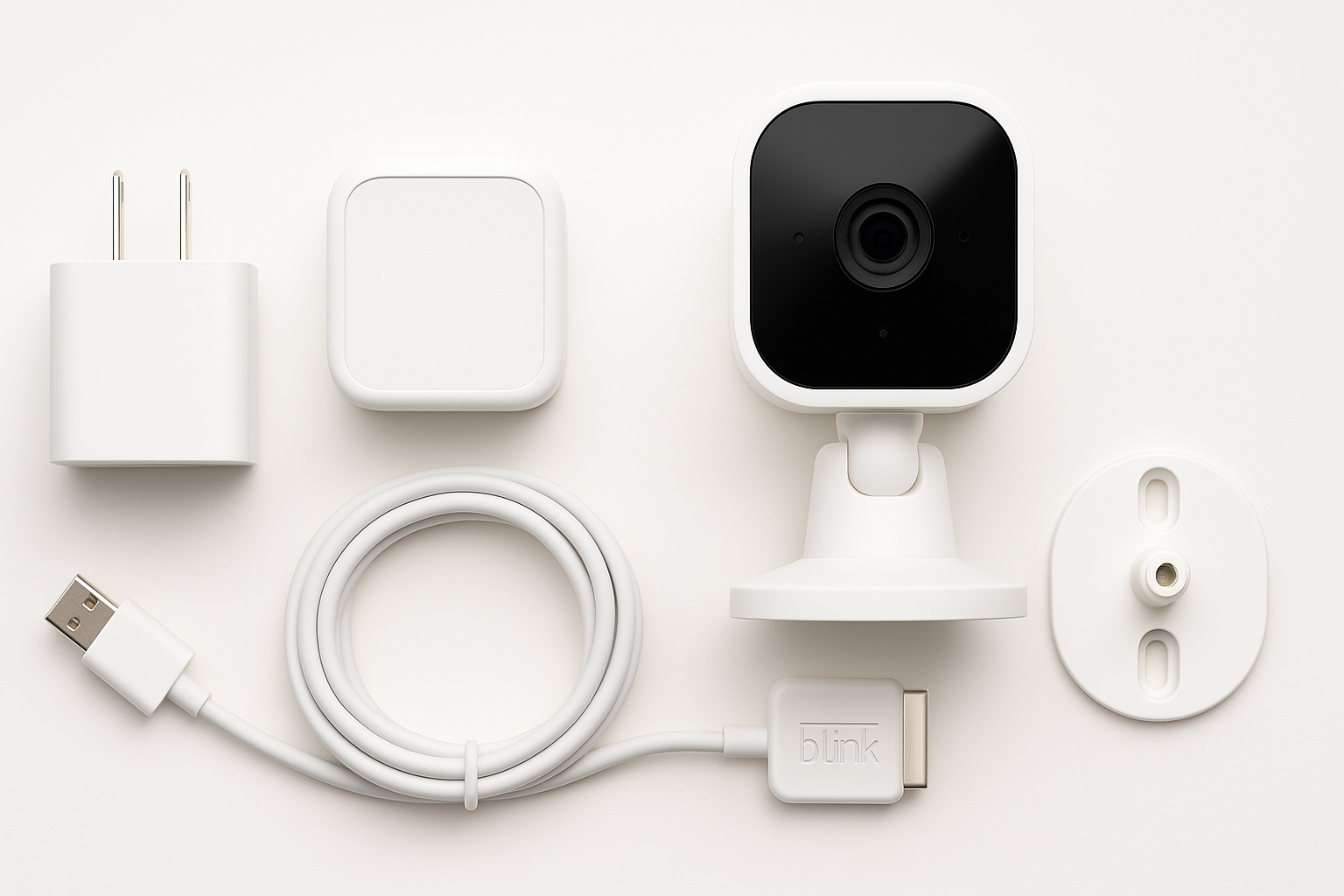
- Unbox and assemble: You receive the camera, adjustable stand, USB cable, and power adapter. The stand can sit on a flat surface or be mounted using standard screws.
- Download the Blink app: Available on iOS and Android; you’ll create or sign into a Blink account, which can be linked to Amazon.
- Plug in and add device: Once powered, you add the camera in the app by scanning a QR code or selecting the model, then follow on-screen prompts to connect it to your 2.4 GHz Wi‑Fi network.
- Adjust angle and settings: After pairing, you can tilt and swivel the Mini on its stand, then configure motion zones, clip length, sensitivity, and notifications.
Most users can get from unboxing to live video in under 10–15 minutes. The wired design means you don’t need to worry about battery levels, but you do need access to an outlet and tolerance for a visible power cable.
Design and Build
The Blink Mini is very compact, with a small cube-like camera head on a simple stand. The white finish blends reasonably well into neutral interiors, and its low profile makes it easy to place on shelves, side tables, or media consoles without drawing much attention.
Build quality is adequate for indoor use: the housing is plastic, light, and not ruggedized. There’s no weatherproofing, so it’s strictly for indoor environments. The stand provides enough flexibility to point the camera downward from a shelf or straight across a room, and the base is stable enough on flat surfaces.
Video and Night Vision
In normal lighting, the 1080p HD feed is clear enough for identifying people, pets, and general activity in a typical room. You get:
- Reasonable sharpness for the price tier
- Accurate-enough color rendition in daylight or well-lit interiors
- A field of view that covers most small to medium rooms when placed at a corner or elevated vantage point
At night, the camera switches to infrared night vision, producing black-and-white footage. Detail is acceptable for identifying movement and recognizing familiar faces at close to moderate distances, though—as with most budget IR cameras—fine detail and depth can soften in very low light.
Motion Detection and Alerts
The Blink Mini detects motion using software-based analysis of the video feed. Through the app you can typically:
- Set detection sensitivity to reduce false alerts
- Configure activity zones so only parts of the scene (e.g., doorways, windows) trigger motion events
- Schedule arm/disarm times so monitoring aligns with your routine
In practice, motion detection is responsive but can be sensitive to changes in lighting (TV flicker, passing headlights) if zones and sensitivity aren’t tuned. Once configured properly, it works best as an event-based notifier—alerting you when someone comes through a doorway or a pet enters the frame.
Audio and Two-Way Talk
The Blink Mini includes a built-in microphone and speaker for two-way audio. Within the app, you can:
- Listen to ambient audio from the room
- Press and hold to speak through the camera to someone on the other end
Audio clarity is acceptable for casual conversation or issuing quick instructions (e.g., talking to kids or calming a pet). There can be a slight delay depending on your network conditions, and the tiny speaker limits maximum volume, but it meets expectations for a compact indoor cam.
App and Alexa Integration
The Blink app centralizes:
- Live view
- Event history and recordings
- Device settings (motion zones, clip length, status LED, microphone, etc.)
- Arm/disarm controls and schedules
Integration with Alexa is a key selling point. When linked to your Amazon account, you can typically:
- Say voice commands like “Alexa, show me the living room” to compatible Echo Show or Fire TV devices
- Use Alexa routines to arm/disarm the camera based on time of day or presence
- Get announcements on Echo devices when motion is detected
For households already using Alexa smart displays or speakers, this makes the Blink Mini feel more like part of a broader home automation setup than a standalone gadget.
Storage, Subscription, and Dependencies
The Blink Mini’s long-term usefulness is tied to how you handle recording and storage:
- Cloud storage: Blink usually offers subscription plans that unlock cloud video storage, clip history, and some advanced features. Without a subscription, functionality can be more limited, depending on current promotions and policies.
- Local storage: Many Blink setups support local recording via a Blink Sync Module with a connected USB flash drive (each sold separately). This can reduce reliance on cloud plans but adds hardware and configuration.
Because policies and bundles can change over time, it’s worth checking the current details on the product page and Blink’s subscription documentation to understand exactly what’s included and what may become a paid add-on.
Pros
- Compact, discreet design that’s easy to place on shelves or mount indoors.
- Straightforward setup via the Blink app; suitable even for non-technical users.
- 1080p HD video that’s sufficient for general indoor monitoring.
- Infrared night vision extends usefulness to low-light and nighttime scenarios.
- Two-way audio for talking to family members or pets.
- Continuous power via plug-in design—no batteries to replace.
- Strong Alexa integration, including live views on Echo Show and Fire TV devices.
- Affordable entry price (around $14.99 for the single-camera kit), often discounted in bundles or sales.
- Works well as part of a multi-camera Blink ecosystem for whole-home coverage.
Cons
- Indoor-only with no weather resistance; not suitable for outdoor or semi-outdoor areas.
- Heavy reliance on subscriptions for full-featured cloud recording and extended history.
- No pan/tilt or optical zoom—static field of view only.
- Video quality, while adequate, is not as detailed as some higher-end or higher-resolution competitors.
- Motion detection can require fine-tuning to avoid false alerts from lighting changes or background movement.
- Feature set is tuned around Amazon’s ecosystem; limited value if you don’t use Alexa.
Verdict
The Blink Mini is a solid choice if you want an affordable, plug-in indoor security camera that plays nicely with Alexa and doesn’t overcomplicate the basics. Its 1080p video, night vision, motion alerts, and two-way audio cover the core requirements for monitoring living spaces, hallways, or pets, and the setup process is simple enough for first-time smart home users.
Where it shines is as a low-cost, low-effort camera for people already using Amazon devices. If you have an Echo Show or Fire TV, being able to quickly pull up a live view with a voice command significantly boosts day-to-day convenience.
However, if you prefer subscription-free recording options out of the box, need advanced features like higher resolution, pan/tilt, or more flexible cross-platform integrations, you may find the Blink Mini’s ecosystem and upsell path limiting.
For many households, though—especially those wanting to add a basic indoor view of a single room—the Blink Mini at around $14.99 represents good value for simple, Alexa-centric home monitoring.