
HP 67 Black Ink Cartridge Review: Reliable Everyday Printing for HP DeskJet and ENVY Users
Overview
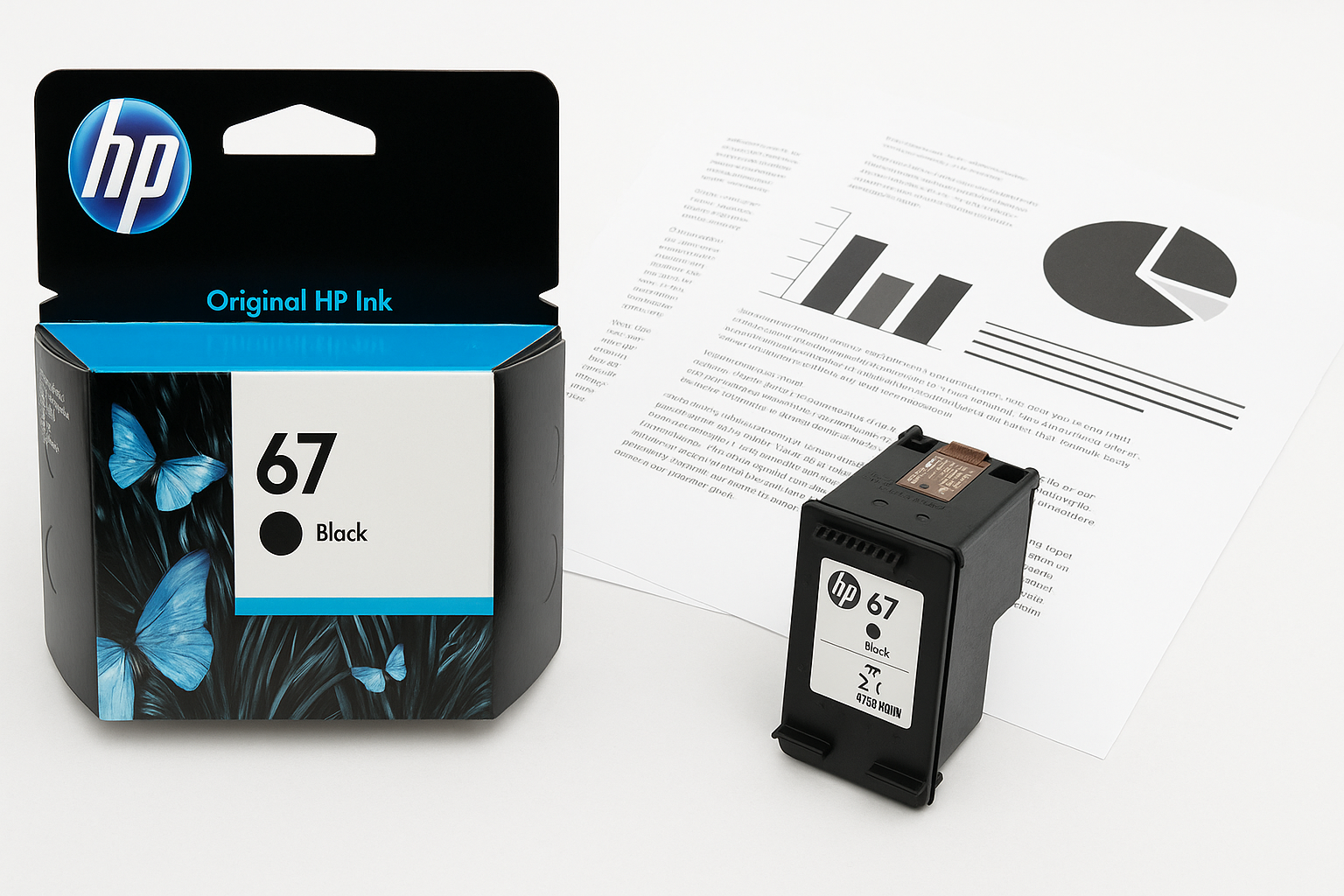
The HP 67 Black Ink Cartridge (3YM56AN) is HP’s standard-yield black cartridge for many entry-level and midrange inkjet printers, including the DeskJet 1255, 2700, 4100 families and ENVY 6000 and 6400 series devices. As an original HP consumable, it is engineered to work seamlessly with HP’s hardware and firmware, offering consistent print quality and reliable operation for everyday use.
This cartridge is aimed at users who print moderate volumes of text documents—such as homework, personal paperwork, and light office materials—rather than heavy-duty business workloads. It is also eligible for HP Instant Ink, allowing those who prefer a subscription model to integrate it into an automated ink delivery workflow.
If you are purchasing directly from Amazon, expect pricing in the range of $22.89, depending on promotions and stock.
Standout Features
1. Broad Printer Compatibility
The HP 67 Black cartridge is compatible with a substantial list of HP inkjet models, most notably:
- HP DeskJet series: 1255, 2700 family, 4100 family (including many "e" variants and DeskJet Plus models)
- HP ENVY series: 6000 and 6400 families, including ENVY Pro variants
This broad compatibility is helpful for households or offices using multiple HP printers built around the same consumable platform—simplifying inventory and purchasing.
2. Original HP Formulation
As an Original HP cartridge, the HP 67 uses HP’s proprietary ink formulation tuned for its thermal inkjet printheads and paper profiles. In practice, this means:
- Crisp black text that is generally sharper than most low-cost third-party refills
- Reliable operation with fewer clogs when the printer is used regularly
- Consistent performance across different paper types, especially standard office and multipurpose paper
3. Instant Ink Eligibility
The cartridge is fully compatible with HP’s Instant Ink subscription service, which monitors page output and ships replacements before you run out. Using Instant Ink can:
- Reduce your per-page cost if you print steadily within a known monthly volume
- Minimize disruption from unexpected low-ink scenarios
The physical cartridge itself is similar whether you buy it individually or use it within an Instant Ink plan; the difference is mainly on billing, monitoring, and cartridge activation.
4. Environmental Considerations
HP highlights that a high percentage of its ink cartridges, including the HP 67 line, contain recycled content in their plastic bodies. Additionally, HP offers free cartridge recycling programs in many regions. For users concerned about waste, this is a modest but meaningful improvement over non-recyclable third-party options that may lack formal take-back programs.
Supporting Features
Beyond the core selling points, the HP 67 Black Ink Cartridge offers several secondary, but useful, benefits:
- Standard yield around 120 pages: Suitable for intermittent, low to moderate usage such as school assignments and occasional home office tasks.
- Low-ink monitoring: Integrated chips communicate with HP printers to provide low-ink warnings through the printer’s display and software utilities.
- HP Smart app integration: When paired with compatible printers, HP’s mobile app can show remaining ink levels, simplify ordering, and provide guided troubleshooting.
- Fade-resistant output: While not archival-grade, documents printed with original HP ink tend to resist fading better than those produced with many unbranded alternatives, especially when stored properly.
Usability
Installation and Setup
Installing the HP 67 Black cartridge is straightforward:
- Power on the printer and open the access door.
- Wait for the carriage to center.
- Remove the old black cartridge, if installed.
- Unpack the new HP 67, remove the protective tape, and snap it into the black slot.
- Close the access door and follow on-screen alignment prompts if requested.
The cartridge’s keyed design and clearly marked labels make incorrect installation unlikely. Most users can complete the swap in under a minute.
Everyday Operation
In typical home or small-office environments, the HP 67 behaves predictably:
- Start-up and warm-up times remain dictated by the printer, not the cartridge.
- The cartridge supports automatic alignment routines run by the printer after replacement, helping ensure clean lines and minimal banding.
- Ink level reporting is integrated into most HP drivers and the HP Smart app, making it easy to check status from a PC or smartphone.
For users who print infrequently, occasional test pages or small print jobs are recommended to keep the nozzles clear, a general best practice for any thermal inkjet cartridge rather than a shortcoming unique to the HP 67.
Performance
Print Quality
For its class, the HP 67 Black provides solid text and line quality:
- Text: Produces dark, well-defined characters on standard copy paper, suitable for homework, forms, and letters.
- Line art and simple graphics: Straight lines and barcodes generally print cleanly, with minimal feathering.
- Photo elements: As a dye-based black in a 2-cartridge system (black plus tri-color), deep photo blacks are acceptable but not at the level of dedicated photo printers with multiple black and gray inks.
Overall, quality is more than adequate for daily document printing and casual use.
Page Yield and Cost Efficiency
HP rates the HP 67 Black cartridge at approximately 120 pages under standardized testing conditions (typically at about 5% coverage per page). Real-world yields vary based on:
- Content density (e.g., full-page text vs. mixed text and images)
- Print mode (draft vs. normal vs. best)
- Paper type
For very heavy users—such as home offices printing dozens of pages each day—the standard yield may feel limited, and an HP 67XL high-yield version is often a better long-term value. However, for light or moderate home use, the 120-page rating is usually adequate between replacements.
When purchased around $22.89, the cost per page lands in the expected range for an OEM standard-yield cartridge. Users focused on absolute lowest cost may still look to high-yield or subscription options, but the HP 67 Black is competitive within its category.
Reliability
Original HP cartridges are generally known for good reliability, and the HP 67 is no exception when used within recommended environmental ranges. Common reliability characteristics include:
- Low incidence of DOA (dead-on-arrival) units
- Stable performance across a variety of common paper brands
- Predictable end-of-life behavior, with the printer providing warnings well before quality visibly degrades
As with most inkjets, leaving the printer unused for months can increase the risk of nozzle clogging, but this is largely a function of usage patterns rather than the specific cartridge model.
Pros and Cons
Pros
- Strong compatibility with many popular HP DeskJet and ENVY printer series
- Consistent, sharp black text suitable for documents, forms, and schoolwork
- Original HP formulation reduces the risk of clogging and compatibility issues
- Instant Ink eligible, supporting automated replenishment for subscription users
- Integrated ink level monitoring and HP Smart app support
- Participation in HP’s recycling and sustainability programs
Cons
- Standard yield (~120 pages) may be limiting for high-volume users
- Cost per page is higher than with third-party or high-yield alternatives, especially if you print heavily
- Black-only cartridge means you still rely on a separate tri-color cartridge, potentially replacing color even if you mostly print monochrome
- Not optimized for professional photo printing, where multi-black systems perform better
Summary
The HP 67 Black Ink Cartridge (3YM56AN) is a solid, dependable choice for owners of compatible HP DeskJet and ENVY printers who prioritize reliability and straightforward operation over rock-bottom cost per page. It delivers sharp text quality, integrates neatly with HP’s software ecosystem and Instant Ink service, and aligns with HP’s broader recycling and sustainability efforts.
Users who print only a few pages per week will likely find the standard yield and pricing around $22.89 acceptable, enjoying the convenience and peace of mind that come with original HP consumables. Heavy-duty users, on the other hand, should consider pairing or switching to high-yield variants or subscription plans to optimize their long-term printing costs.