
HP Envy Photo 7975 Review: A Versatile Home Photo Printer With Smart Extras
Introduction
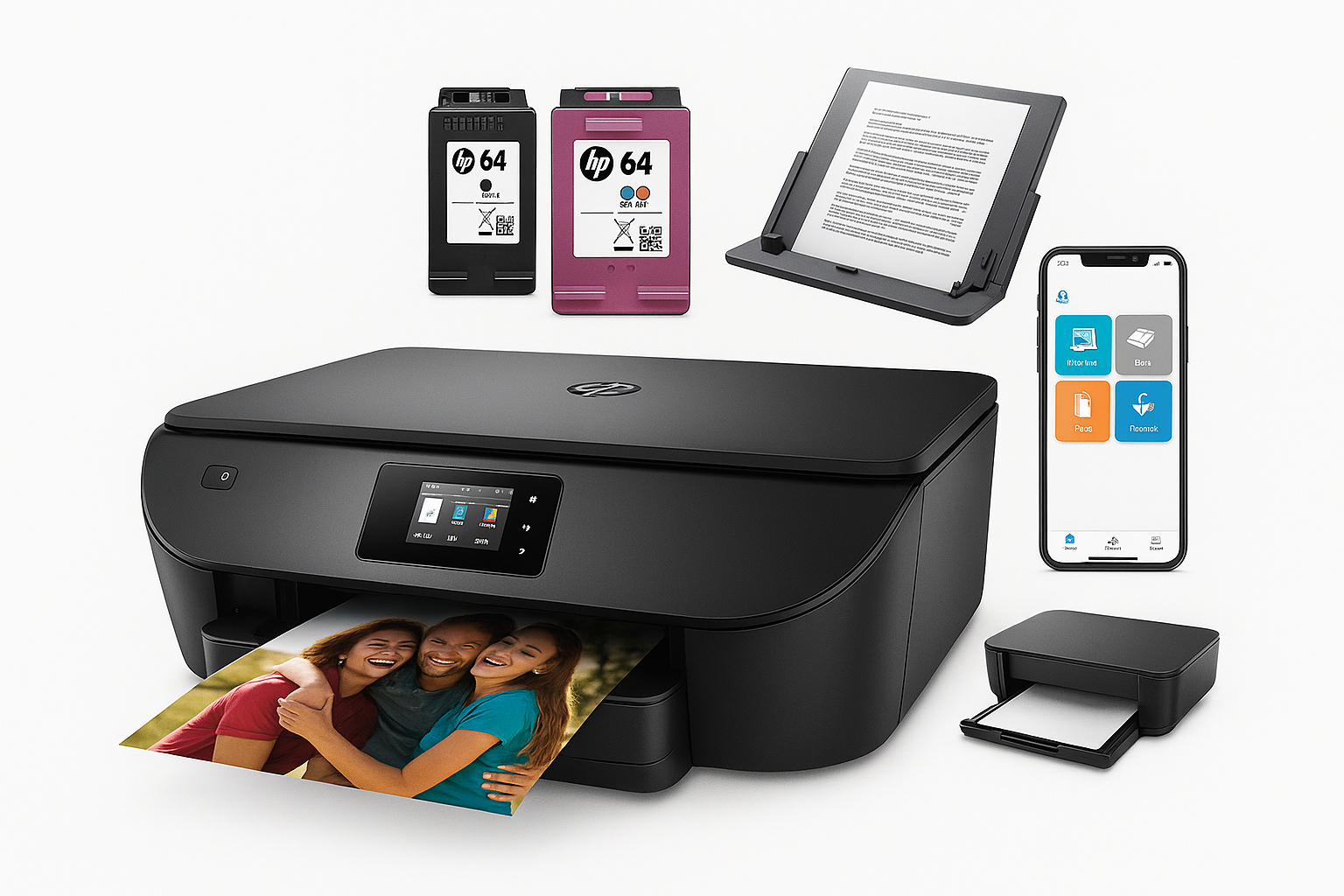
The HP Envy Photo 7975 Wireless Color Inkjet Photo Printer (B63K3A) is designed as a do‑it‑all home machine: it prints, scans, and copies, with a particular focus on borderless photo printing for family photos and creative projects.
As part of HP’s Envy Photo 7900 series, the 7975 combines:
- Color inkjet printing up to 4800 x 1200 optimized dpi on photo paper【0search6】
- All‑in‑one functionality (print, scan, copy) with photo‑centric features【0search2】
- Wireless connectivity over dual‑band Wi‑Fi (2.4 GHz and 5 GHz)【0search6】
- A built‑in 35‑sheet automatic document feeder (ADF) and automatic duplex (two‑sided) printing【0search0】
- A dedicated photo tray for 4x6" and 5x7" media【0search0】
- Support for HP’s Instant Ink subscription service with a 3‑month trial included【0search2】
It targets households and home offices that want one compact device for homework, bills, and photo prints without stepping up to a business‑class inkjet or laser printer.
Setup / Getting Started
Physically setting up the HP Envy Photo 7975 is straightforward and typical for a modern home inkjet.
-
Unboxing & physical assembly
In the box you get the printer, a power cord, setup ink cartridges (HP 64 series), a quick‑start guide, and basic documentation【0search12】. There’s no USB cable included, which is standard for this category. Once unboxed, you remove a series of blue tapes and internal packing materials, especially around the scanner bed and paper trays. -
Ink installation
The front panel lifts to reveal the cartridge area. The printer uses HP 64 black and tri‑color ink cartridges, including high‑yield XL options for heavier users【0search12】. Setup cartridges clip into place with clear labels and on‑screen instructions guiding you through the process. -
Paper loading
- Main tray: A 125‑sheet input tray for plain paper up to legal size (8.5" x 14")【0search0】.
- Photo tray: A separate, smaller tray dedicated to photo paper so you don’t have to swap media for 4x6" or 5x7" prints【0search0】.
-
Network & app setup
The 7975 supports dual‑band 802.11a/b/g/n/ac Wi‑Fi【0search6】, and the easiest route is to use HP Smart on a smartphone or PC. The app walks you through:- Connecting the printer to your home Wi‑Fi network
- Adding it to your devices (Windows, macOS, iOS, Android)
- Optionally enrolling in HP Instant Ink and activating the included 3‑month trial【0search2】
The integrated color touchscreen on the front panel lets you enter Wi‑Fi details, review status, and access common functions without a computer.
-
Driver & service configuration
On desktops and laptops, HP Smart pulls down the necessary drivers. You can also install traditional drivers from HP’s support site for more granular control over print settings and color management【0search6】.
Overall, initial setup should be manageable for non‑technical users, especially if you follow the HP Smart app’s prompts step by step.
Daily Usage
In everyday use, the HP Envy Photo 7975 is built to function as the family workhorse while still accommodating photo projects.
Printing documents
For standard documents—homework, shipping labels, forms, and recipes—the printer offers:
- Up to 15 pages per minute (ppm) in black and 10 ppm in color under ideal conditions【0search3】
- Automatic two‑sided (duplex) printing to save paper【0search0】
- A 125‑sheet capacity input tray, which is ample for a typical home environment【0search0】
Draft and normal quality modes handle text documents efficiently; you can reserve higher‑quality modes for presentations and mixed text‑and‑graphics pages.
Photo printing
Where the 7975 differentiates itself from basic home printers is photo handling:
- Support for borderless printing up to letter size【0search6】
- A dedicated photo tray that keeps 4x6" and 5x7" photo paper ready【0search0】
- Up to 4800 x 1200 optimized dpi color resolution on HP photo papers when printing from a computer【0search6】
Printed photos are generally vibrant and detailed for a dye‑ink consumer printer, especially on HP’s own glossy or semi‑gloss photo papers. It’s well‑suited for family albums, school projects, and casual creative work.
Scanning and copying
The flatbed scanner and 35‑sheet automatic document feeder make it versatile for:
- Digitizing bills and receipts
- Copying multi‑page documents without manually lifting the lid for every page
- Scanning to email or cloud via the HP Smart app
Color scanning quality is enough for everyday use and light home‑office tasks. Very fine graphic‑design or archival work might still call for a dedicated scanner, but for most households the 7975 is adequate.
Mobile and cloud printing
The printer supports:
- Wireless printing from smartphones and tablets via the HP Smart app
- Printing from cloud services and email (depending on configuration)
- Wi‑Fi Direct, which lets devices connect and print without going through your home router【0search6】
The HP Smart app is central: you can print photos from your camera roll, scan with your phone camera, and manage Instant Ink and maintenance tasks from a unified interface.
Running costs and Instant Ink
The Envy Photo 7975 is Instant Ink–enabled and includes a 3‑month trial of the subscription service【0search2】. Instant Ink charges per page instead of per cartridge, which can dramatically reduce the cost per color photo for users who print regularly.
If you buy the printer at around $159.89 on Amazon, its overall value improves the more you take advantage of Instant Ink and the photo‑centric features, particularly if your household prints a steady volume of color pages each month.
Performance & Reliability
Speed and throughput
For a home‑focused machine, the quoted speeds—up to 15 ppm black and 10 ppm color【0search3】—are respectable. Real‑world performance depends on:
- Print mode (draft vs. normal vs. best)
- Complexity of the document (simple text vs. photo‑heavy pages)
- Connection type (USB vs. Wi‑Fi)
For a few pages at a time, there’s minimal wait. Large photo jobs or high‑resolution prints understandably take longer as the printer lays down more ink.
Print quality
Text quality: On plain paper, black text is sharp and legible, more than adequate for schoolwork and basic office tasks. It’s not as crisp as a laser printer on close inspection, but comparable to other mid‑range inkjets in this segment.
Graphics and photos: Color output is vibrant on coated and photo papers, with good saturation and decent detail. While not a replacement for a dedicated photo printer or professional lab for critical work, it delivers attractive prints for family albums and everyday creative projects.
For best results, pairing the printer with HP‑branded photo paper and keeping the print head alignment and cleaning routines up to date is recommended.
Connectivity and stability
Dual‑band Wi‑Fi support (2.4 GHz and 5 GHz) and HP’s "self‑healing" wireless features help maintain a stable connection, automatically attempting to reconnect if the printer drops off the network【0search6】. In most home setups, this results in reliable availability from multiple devices.
Occasional reconnection or driver issues can occur, as with many consumer printers, but these are generally resolvable via the HP Smart app’s troubleshooting tools or by reinstalling the printer.
Energy use and noise
The Envy Photo 7975 is ENERGY STAR certified, indicating it meets efficiency standards without sacrificing performance【0search17】. An automatic sleep mode reduces power draw when idle.
Noise levels are typical for a mid‑range inkjet: noticeable but not overwhelming. Photo printing and duplexing introduce more mechanical sounds, but the printer is still suitable for use in a shared living area if you’re not printing constantly.
What Works Well
-
Well‑rounded home feature set
Print, scan, copy, ADF, duplex printing, and a photo tray combine into a capable all‑rounder. It handles everything from kids’ homework to family photos and basic home‑office tasks without needing multiple devices. -
Strong photo capabilities for the price class
With 4800 x 1200 optimized dpi on photo paper, borderless printing, and support for a wide range of media, the 7975 is noticeably more photo‑oriented than many basic home inkjets【0search6】. -
Convenient wireless and mobile support
Dual‑band Wi‑Fi, Wi‑Fi Direct, and the HP Smart app make it easy to print from almost any device in the house【0search6】. Setup and maintenance are largely app‑driven, which simplifies troubleshooting and configuration for non‑technical users. -
Instant Ink compatibility with trial period
Being Instant Ink–ready and including a 3‑month trial helps new users quickly evaluate whether subscription‑based ink makes sense for their usage patterns【0search2】. Users who print moderate‑to‑high volumes of color documents and photos often see lower effective ink costs compared with pay‑per‑cartridge. -
Compact, home‑friendly design
The design is relatively compact for an all‑in‑one with an ADF and photo tray, making it easy to place on a desk or shelf in a multi‑use room.
What Could Be Improved
-
Ink costs outside of Instant Ink
Like many consumer inkjets, traditional cartridge pricing can get expensive if you print frequently and don’t use Instant Ink. If you prefer buying cartridges outright—especially OEM HP 64 XL black and color—your cost per page may climb compared with some tank‑based or business‑oriented models. -
Photo quality vs. dedicated photo printers
While photo output is quite good for a general‑purpose device, it may not fully match the color accuracy, tonal smoothness, or longevity of dedicated photo printers that use more ink colors and pigment‑based inks. Serious photographers might want more advanced options. -
ADF limitations for heavy office workloads
The 35‑sheet ADF is convenient for occasional use, but users who regularly scan or copy large multi‑page documents may find it modest in capacity. There’s also no duplex ADF for two‑sided scanning; you must manually flip two‑sided documents. -
Dependence on software ecosystem
The HP Smart app is central to the experience. While this simplifies setup for many, some users may prefer more traditional, driver‑only workflows or dislike reliance on a vendor account for certain features and services. -
Occasional wireless or driver quirks
As with most consumer Wi‑Fi printers, there can be occasional issues with devices "losing" the printer or jobs not starting immediately. These are usually fixable, but they’re worth noting if you require rock‑solid, business‑grade reliability.
Overall Impression
The HP Envy Photo 7975 Wireless Color Inkjet Photo Printer is a well‑balanced choice for households that want one machine to handle everyday documents and attractive photo prints.
Its strengths lie in:
- Solid all‑in‑one functionality with a useful ADF and automatic duplex printing
- Strong photo features for a family‑oriented printer, including a dedicated photo tray and high‑resolution color output
- Flexible wireless and mobile printing through dual‑band Wi‑Fi and the HP Smart app
- The option to control running costs via HP Instant Ink, aided by the 3‑month trial
Potential buyers should be aware of:
- Higher ink costs if you avoid Instant Ink and rely on standard cartridges
- Photo output that, while very good for a home device, doesn’t fully replace a specialized photo printer for professional work
- ADF and scanning features that are optimized for occasional home or light home‑office usage rather than heavy document digitization
If your priority is a versatile home printer that excels at casual photo printing and everyday tasks, the HP Envy Photo 7975 offers a compelling blend of features and performance. At around $159.89 on Amazon, it competes well with similarly positioned all‑in‑one inkjets, particularly for families who will take advantage of its photo capabilities and Instant Ink support.