
Logitech C922x HD Pro PC Webcam Review: A Streaming-Focused Classic That Still Delivers
Product Context
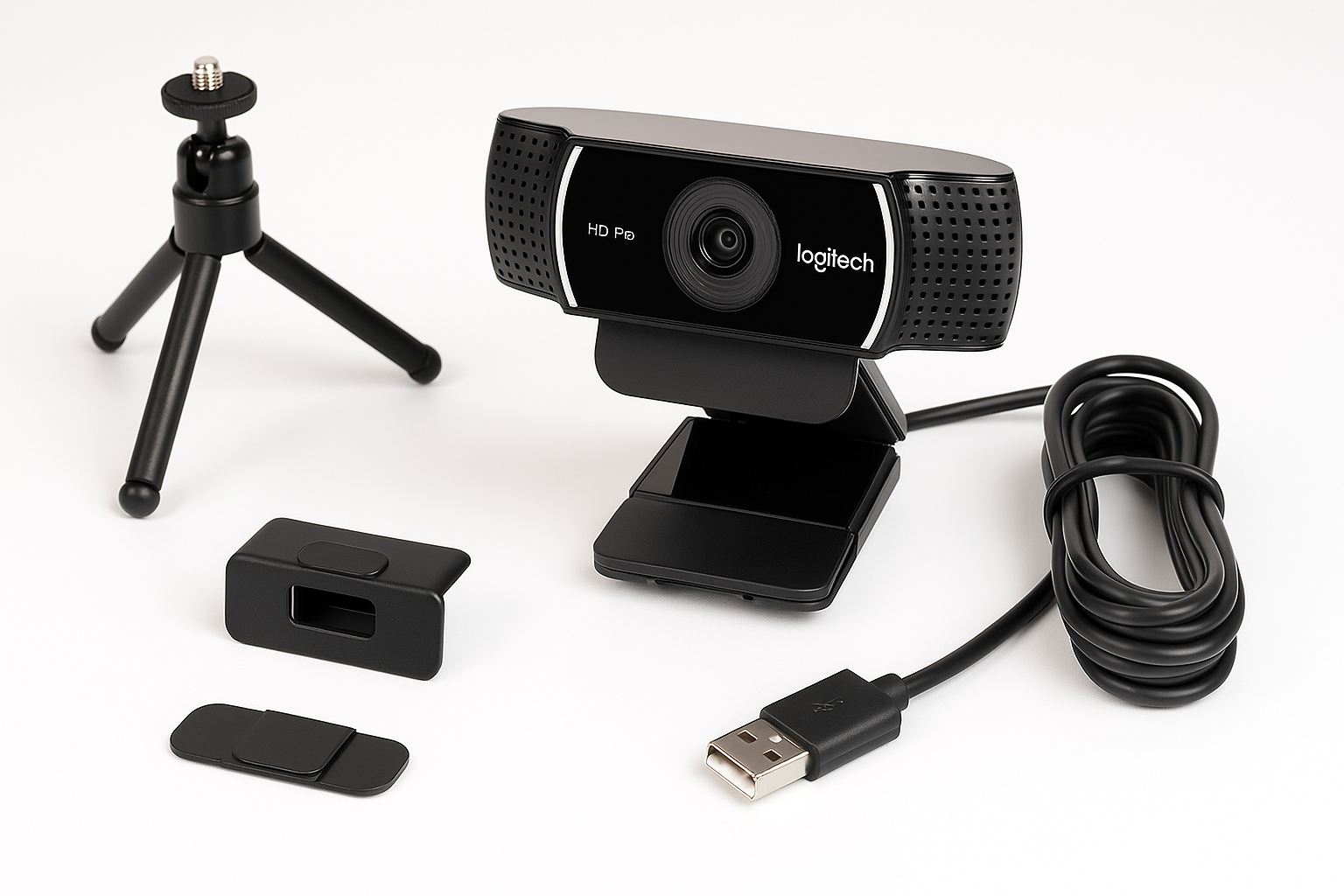
The Logitech C922x HD Pro PC Webcam is designed for streamers and professionals who want a straightforward USB webcam that reliably delivers sharp 1080p video and clear audio on a wide range of platforms. It supports:
- Full HD 1080p at 30fps for general video calls and recordings
- HD 720p at 60fps for smoother motion in streaming scenarios
- HD light correction that automatically tunes exposure and white balance
- Compatibility with Microsoft Teams, Google Meet, Zoom, and Nintendo Switch 2’s GameChat mode, as well as Mac and tablet setups
Positioned above basic entry-level webcams, the C922x is a mid-range option aimed at users who outgrow their built-in laptop camera but don’t need the complexity or cost of a DSLR or mirrorless camera capture setup. At around $104.97 on Amazon, it competes directly with popular 1080p webcams and some newer 2K/4K models, trading raw resolution for mature, proven performance and wide software support.
Feature Breakdown
Resolution and Frame Rates
- 1080p at 30fps: Best suited for business calls, online classes, and YouTube recordings where clarity and detail matter more than ultra-high frame rates.
- 720p at 60fps: Provides smoother, more natural motion ideal for Twitch streaming, gameplay commentary, or fast hand movements on camera.
This dual-mode flexibility lets you balance sharpness and smoothness based on your use case and upload bandwidth.
Optics and Image Quality
- Glass lens with autofocus for consistently sharp images at typical desk distances.
- Automatic HD light correction adjusts exposure and color to compensate for dim rooms, backlighting, and mixed indoor lighting.
- Decent color reproduction: Skin tones are generally natural once lighting is reasonably set, and the camera avoids aggressive oversaturation.
Compared to older 720p models, the C922x produces noticeably crisper facial details and text on screen, making it easier for colleagues or viewers to see expressions and on-camera objects.
Audio: Dual Microphones
- Dual omnidirectional microphones capture stereo audio from both sides of the lens.
- Voices are intelligible and reasonably full for a webcam mic, fine for calls and casual streaming.
- For professional content or noisy environments, you’ll still want a dedicated USB or XLR microphone, but the built-in mics are more than acceptable as a starting point.
Platform and App Support
- Works out of the box with major platforms:
- Microsoft Teams, Google Meet, Zoom
- Most browser-based conferencing tools
- Streaming tools like OBS, Streamlabs, and similar encoders
- Nintendo Switch 2’s GameChat mode, making it a flexible option if you split time between PC and console.
No proprietary dongles or adapters are needed; it connects via standard USB-A and is recognized as a UVC (USB Video Class) device on modern operating systems.
Performance Insights
Video Quality in Real-World Conditions
In well-lit rooms, the Logitech C922x produces:
- Crisp 1080p detail at 30fps, suitable for professional-looking calls and recordings.
- Smooth motion at 720p/60fps that benefits gaming and fast gestures, like tech demonstrations or product showcases.
In low or uneven light:
- The HD light correction brightens the scene while trying to avoid excessive noise.
- Some grain appears in very dark rooms, but the image usually remains usable for calls.
- Autofocus is generally reliable, though placing very close objects (e.g., products inches from the lens) can cause brief focus hunting.
Streaming and Gaming Use
For streamers on Twitch, YouTube, or similar platforms:
- The 720p/60fps mode offers visibly smoother motion in face-cam windows than 30fps, especially when reacting to gameplay.
- The field of view is wide enough to include your upper body and some background, but not so wide that it introduces distracting distortion.
- Integration with OBS or Streamlabs is straightforward, with the camera often recognized immediately as a capture device.
If you’re upgrading from a basic 720p laptop webcam, moving to the C922x can be a noticeable jump in both clarity and perceived professionalism.
Conferencing and Remote Work
For remote workers and students:
- The camera consistently delivers clear 1080p video on Teams, Zoom, and Google Meet.
- Auto exposure adapts quickly to changing light—for example, if you open a curtain or switch on an additional lamp.
- Audio is competent enough that most colleagues will not complain, though frequent presenters may still want to invest in a dedicated microphone.
Overall, the C922x strikes a good balance between plug-and-play simplicity and a professional on-screen presence.
Usability
Setup and Installation
- Plug-and-play via USB-A: On most modern Windows and macOS systems, drivers install automatically.
- Recognized natively as a standard camera, so there is no mandatory software to install for basic use.
- Optional Logitech utilities (depending on OS) can offer more granular control of zoom, focus, and exposure if desired.
For tablets or less common platforms, compatibility depends on available ports and OS-level camera support, but the underlying UVC standard makes it broadly flexible.
Mounting and Adjustability
- The integrated universal clip attaches securely to laptop screens and most external monitors.
- The hinge design allows for tilt adjustment so you can fine-tune framing without moving your entire display.
- Standard tripod thread support (where available) gives additional mounting flexibility, such as placing the camera slightly above or off-center from your monitor for a more flattering angle.
Day-to-Day Experience
Once positioned and configured:
- There is minimal ongoing maintenance—most users can leave default settings in place.
- Switching between apps (e.g., from Zoom to OBS) is seamless as long as only one program at a time controls the camera.
- The camera holds its settings reasonably well between sessions, limiting the need for constant readjustments.
Trade-offs
While the Logitech C922x HD Pro PC Webcam is a strong all-rounder, there are a few considerations to keep in mind:
Pros
- Reliable 1080p/30 and 720p/60 performance for both conferencing and streaming.
- Mature driver and platform support, including major video conferencing apps and popular streaming tools.
- Effective automatic light correction that makes it forgiving in average home-office lighting.
- Dual microphones provide decent audio quality without needing immediate investment in extra gear.
Cons
- No 4K resolution: Competing webcams now offer 1440p or 4K, which can yield sharper images on large displays or detailed content.
- Image noise in very low light: While the light correction keeps faces visible, it can introduce grain; a dedicated light or ring light is recommended for best results.
- Limited manual control without software: Advanced users may want more granular settings control than what some operating systems expose by default.
- USB-A only in many bundles: On modern laptops that rely primarily on USB-C, an adapter may be required.
In practice, these trade-offs are acceptable for most buyers in the webcam’s price class, but power users may prefer to step up to newer, higher-resolution models if budget allows.
Conclusion
The Logitech C922x HD Pro PC Webcam remains a well-rounded choice for streamers, remote workers, and content creators who want dependable 1080p quality without overcomplicating their setup. Its combination of 1080p/30 and 720p/60 modes, solid low-light performance, and broad compatibility with conferencing apps and streaming platforms makes it a strong, time-tested option.
If you’re using a built-in laptop webcam or an older 720p camera, upgrading to the C922x at around $104.97 on Amazon can significantly improve how you look and sound online. Users who require 4K resolution, advanced manual controls, or more specialized features may prefer more recent premium webcams, but for many people, the C922x strikes an excellent balance between image quality, ease of use, and long-term reliability.