
McAfee Total Protection 3‑Device (2026 Ready): Comprehensive Security for Small Households
Overview
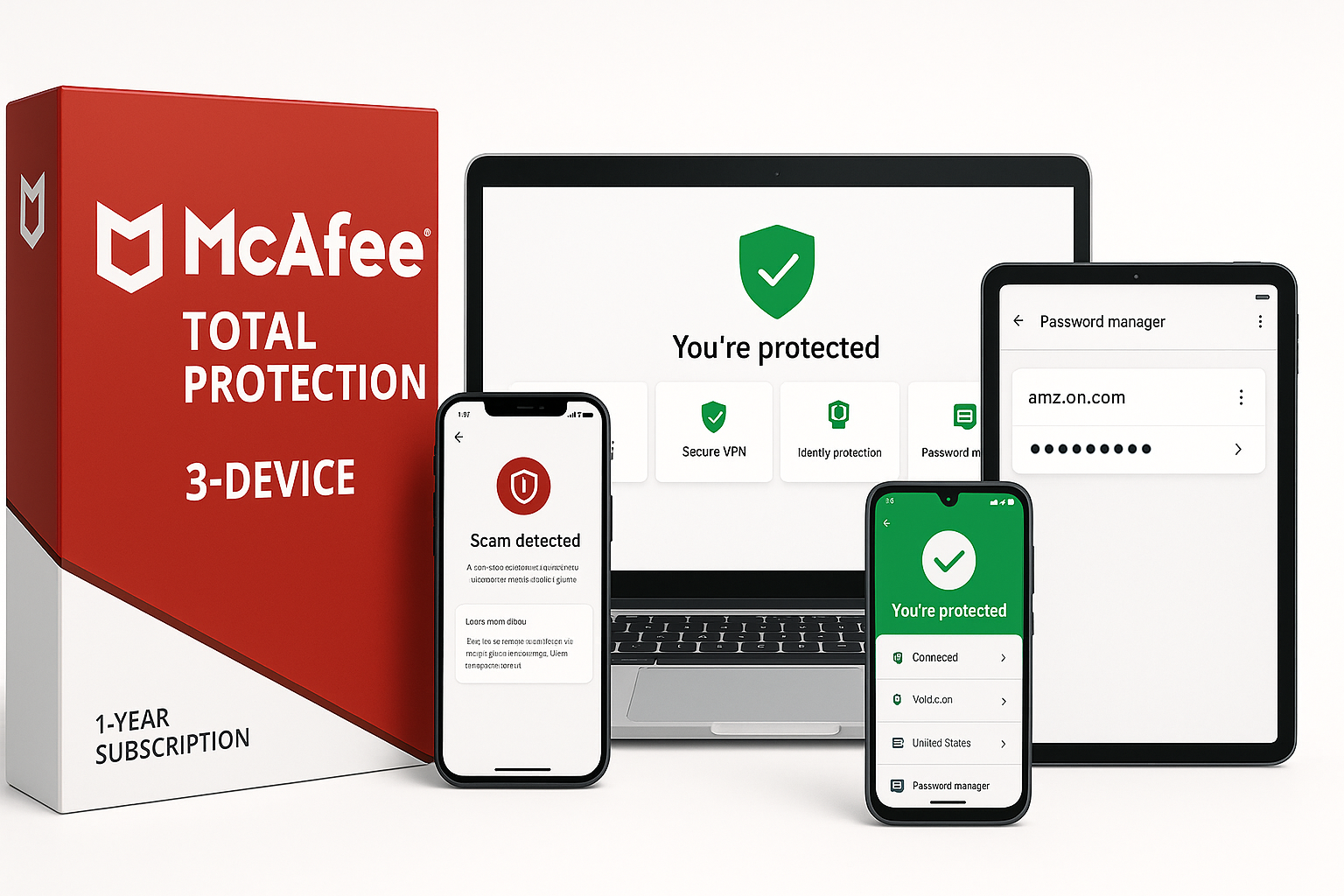
McAfee Total Protection 3-Device | AntiVirus Software 2026 for Windows PC & Mac, AI Scam Detection, VPN, Password Manager, Identity Monitoring | 1-Year Subscription with Auto-Renewal | Download (ASIN B0BB2N69J8) is an all-in-one security suite aimed at individuals and small households that need protection across a handful of devices.
This edition covers up to three devices and supports Windows 10/11, macOS 11 and later, Android, iOS, and ChromeOS. Once activated via a digital download, it delivers real-time antivirus, phishing and scam detection, a built-in VPN, dark‑web identity monitoring, and a cross‑platform password manager under a single McAfee account.
While the actual price fluctuates on Amazon, it typically sits in the mid‑range of consumer security suites, and is frequently discounted to around $23.99 during sales or promotions. That positions it as a competitively priced, feature‑rich option for multi‑device protection.
Standout Features
1. Multi‑Layer Device Security
McAfee’s core antivirus engine provides real‑time threat protection against viruses, ransomware, spyware, and other forms of malware. It continuously updates signatures and uses behavioral analysis to spot emerging threats, which is particularly important as new malware variants appear throughout the life of the 1‑year subscription.
Safe Browsing (McAfee WebAdvisor in browser form) further strengthens this layer by warning you before visiting risky sites, blocking malicious downloads, and flagging potentially dangerous links in search results. For many users, this proactive guidance is where most day‑to‑day protection happens—stopping threats before they ever reach the device.
2. AI‑Powered Scam Detector
One of the most differentiated capabilities in this edition is the AI‑driven Scam Detector. Rather than being limited to traditional email phishing, the feature is designed to analyze:
- Text messages (SMS)
- Emails
- Social media messages and links
- Even deepfake-style video links
It looks for risky URLs, suspicious patterns, and other red flags and surfaces alerts before the user engages. This is especially useful on mobile devices, where it’s easy to tap a malicious link in a hurry.
3. Integrated Secure VPN
McAfee includes an unlimited, no‑log Secure VPN with this subscription. The VPN can automatically engage on unsecured or public Wi‑Fi networks and encrypts traffic to prevent eavesdropping on:
- Banking and financial sessions
- Online shopping
- General web browsing on public hotspots
Having the VPN bundled into the same app reduces the friction of managing yet another subscription and makes it more likely users will actually encrypt their traffic when they should.
4. Identity Monitoring and Alerts
Identity monitoring continuously scans the dark web and other underground sources for up to dozens of types of personal and financial information, such as:
- Email addresses
- Government IDs
- Credit and debit cards
- Bank accounts and similar financial records
If a match is found, McAfee sends alerts so you can act quickly with password changes, card replacements, or fraud monitoring. Early notification is essential in limiting damage from breaches and account takeovers.
5. Cross‑Platform Password Manager
The built‑in password manager helps close one of the biggest everyday security gaps: weak or reused passwords. It can:
- Generate strong, unique passwords
- Store them securely in an encrypted vault
- Auto‑fill credentials on supported browsers and devices
By consolidating passwords under a single, encrypted account, users are more likely to adopt best practices without needing a separate password management subscription.
Supporting Features
Beyond the headline capabilities, McAfee Total Protection 3‑Device (B0BB2N69J8) bundles several supporting features that round out its value:
- Protection Score: A simple numerical score that summarizes how well your devices and accounts are protected. It highlights weak points (such as outdated software or missing settings) and offers step‑by‑step recommendations to remediate them.
- Automatic Updates: The software and its threat database update silently in the background, ensuring defenses stay current without manual intervention.
- Centralized Web Dashboard: Through the McAfee online account portal, you can:
- See which devices are protected
- Redeem or move licenses between devices
- Manage auto‑renewal settings
- Parental Controls (limited): Depending on the platform and configuration, some web filtering and usage controls are available, though these are not as deep as dedicated parental control suites.
- Customer Support and Virus Protection Pledge: McAfee provides 24/7 support and a Virus Protection Pledge for subscribers enrolled in auto‑renewal, offering added peace of mind for less technical users.
Usability
Setup and Activation
Setup is straightforward but requires an internet connection and a McAfee account:
- Purchase the digital download and retrieve the activation code from your Amazon account.
- Visit the McAfee activation URL listed in your instructions.
- Sign in or create a McAfee account and enter the activation code.
- Download the installer for your desired platform and run it.
- Use the same account credentials to add additional devices (up to three total).
A payment method is required at activation because the subscription is configured for automatic renewal by default. You can, however, disable auto‑renewal from the McAfee account portal if you prefer to manage renewal manually.
Day‑to‑Day Experience
On Windows and macOS, McAfee presents a modern, dashboard‑style interface. Key tasks—running scans, checking the Protection Score, toggling the VPN, or viewing alerts—are grouped logically and accessible within a few clicks. Mobile apps on Android and iOS share the same design language, which reduces the learning curve when moving between devices.
Notifications are generally clear and purposeful, though users who are sensitive to pop‑ups may want to customize alert settings. The Scam Detector and identity alerts are particularly helpful, as they come with actionable guidance instead of just warnings.
For non‑technical users, the combination of wizards, clear labels, and explanatory text makes the suite approachable. Power users may wish for more granular control in some areas (advanced firewall tuning, VPN server selection options, etc.), but for the target audience—small households and individuals—the balance leans toward simplicity and automation.
Performance
System Impact
In recent versions, McAfee has significantly improved performance efficiency compared with older generations of security suites. On modern Windows 10/11 and macOS 11+ systems with at least 2 GB RAM and a 1 GHz processor (the stated minimums), the impact on everyday tasks such as web browsing, email, and document editing is modest.
Full system scans can still be resource‑intensive, particularly on older hardware or when running for the first time, but subsequent scans benefit from optimization and caching. Quick scans are fast enough to be run regularly without noticeably slowing down the device.
Network and VPN Performance
The integrated VPN introduces some latency, as expected with any encrypted tunnel, but is generally suitable for browsing, streaming in standard to high definition, and online shopping or banking. For latency‑sensitive activities like competitive online gaming, many users will prefer to keep the VPN disabled or selectively enabled only on specific networks.
Reliability and Stability
McAfee Total Protection is a mature product line, and the 3‑device 2026‑ready edition benefits from that maturity. In typical use, crashes or severe conflicts are rare, although—as with any security suite—installing it alongside another full antivirus can cause performance issues or detection conflicts. McAfee’s documentation recommends uninstalling conflicting security software before installation.
Pros and Cons
Pros
- Comprehensive all‑in‑one suite: Antivirus, VPN, identity monitoring, and password management in one subscription.
- Covers three devices: Well‑suited to individuals or small households with a mix of PCs, Macs, and mobile devices.
- AI‑driven Scam Detector: Adds protection where people are increasingly targeted—texts, email links, and social messages.
- Unlimited VPN included: Encourages safer browsing on public Wi‑Fi without needing a separate VPN service.
- User‑friendly interface: Clear dashboard, Protection Score, and guided remediation steps support less technical users.
- Strong cross‑platform support: Windows, macOS, Android, iOS, and ChromeOS coverage from a single license.
Cons
- Auto‑renewal by default: Requires entering a payment method during activation, which some users may find off‑putting.
- Occasional performance impact: Full scans and real‑time monitoring can slow older or lower‑spec systems.
- Limited advanced tuning: Power users may want deeper firewall, VPN, and scanning customization than is exposed.
- Three‑device cap: Larger families may quickly outgrow this tier and need a higher‑device plan.
Summary
McAfee Total Protection 3‑Device (ASIN B0BB2N69J8) is a well‑rounded security suite designed to simplify protection for users who want a single subscription to cover their core security needs. By bundling real‑time antivirus, AI‑based scam detection, a secure VPN, identity monitoring, and a password manager, it reduces the need to juggle multiple standalone tools.
Its three‑device allowance makes it a strong fit for individuals, couples, or small households with a limited number of PCs, Macs, and mobile devices. System impact is acceptable on modern hardware, and the interface is approachable enough for non‑experts. The main trade‑offs are the auto‑renew requirement at activation, modest performance overhead on older machines, and a set of advanced options that may feel constrained to power users.
If you are looking for an easy‑to‑manage, mid‑priced security suite that combines antivirus, VPN, and identity features under one roof, McAfee Total Protection 3‑Device is a compelling option—especially when it is available around $23.99 or during Amazon promotional periods.