
TurboTax Deluxe Desktop Edition 2025 Review: Federal & State Tax Software for Windows 11 and macOS 14
Introduction
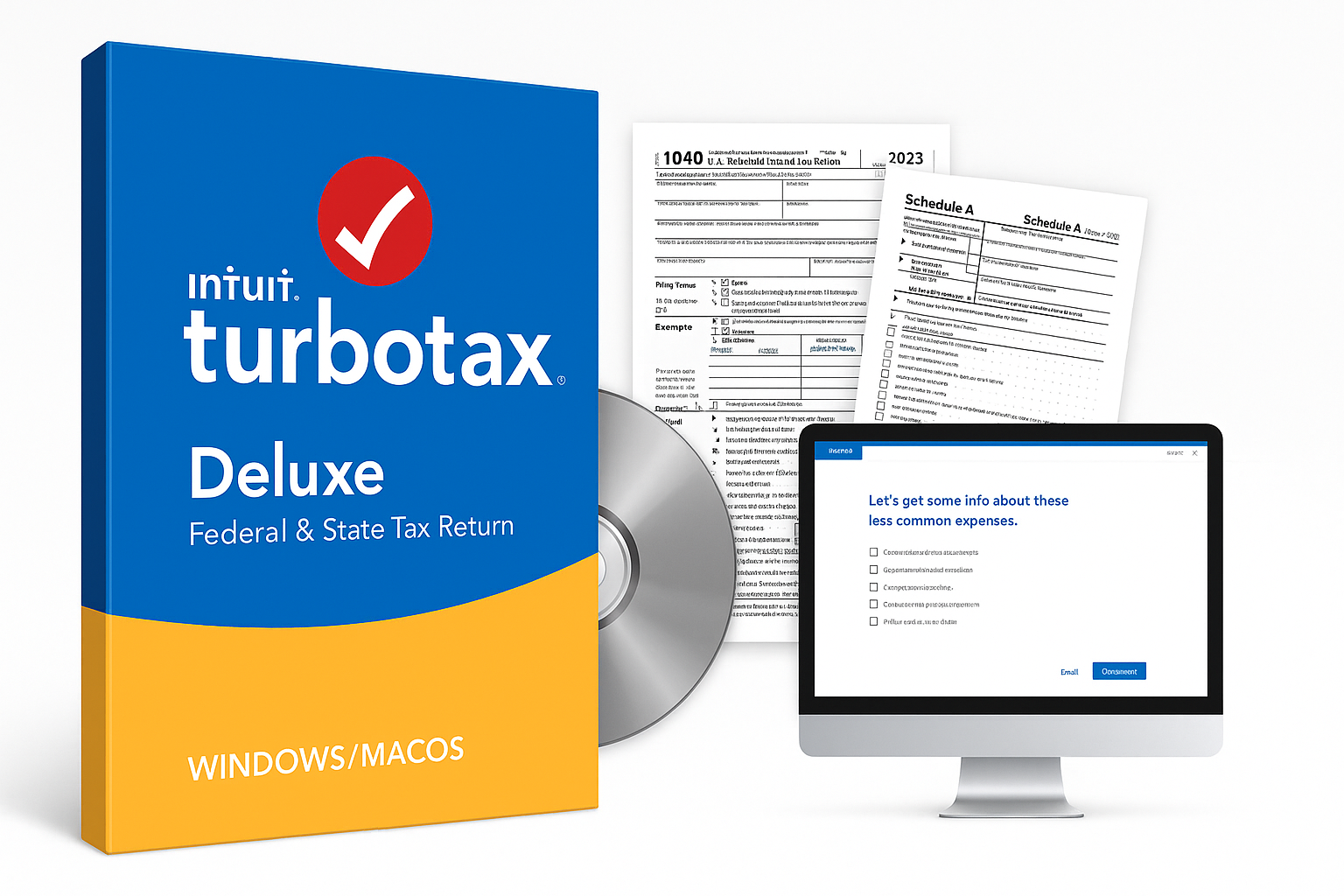
TurboTax Deluxe Desktop Edition 2025, Federal & State Tax Return [Win11/Mac14 Download], is Intuit’s mid‑tier desktop tax package for filing 2025 returns by the April 2026 deadline. Sold as a digital download via Amazon, it targets W‑2 earners, homeowners, and filers with itemized deductions who want software installed on their own computer instead of a purely browser‑based service.
In this edition, you get the familiar TurboTax guided interview, support for common IRS forms and schedules, up to five federal e‑files, and one included state program in most desktop "Deluxe + State" configurations. State e‑file fees may still apply depending on the jurisdiction and promo terms. The download works on Windows 11 PCs and Macs running macOS 14 (Sonoma) or later, but notably does not support Windows 10.
If you’re comparing tax software options around $79.99 on Amazon, this review walks through where this specific Deluxe Desktop package excels, where it falls short, and who it’s best suited for.
Typical Use Cases
TurboTax Deluxe Desktop Edition 2025 is designed around several common filing profiles:
-
W‑2 employees with standard deductions or basic itemizing
Ideal for salaried workers with employer‑issued W‑2s, some interest or dividend income, and possibly a mortgage. -
Homeowners itemizing deductions
Those claiming mortgage interest, property taxes, and possibly energy efficiency credits benefit from the deduction guidance. -
Families with dependents and common credits
Parents claiming the Child Tax Credit or education‑related credits, along with childcare expenses. -
Filers with modest investment income
Users with basic 1099‑INT/1099‑DIV forms and limited brokerage activity (though heavy investing and complex investments generally push you toward TurboTax Premier). -
Users who care about local installation and offline work
People who prefer to install software once, keep data files locally, and avoid relying entirely on a web browser session. -
Multi‑return households
Households preparing returns for multiple family members can take advantage of up to five federal e‑files from one license.
Performance in Each Scenario
1. W‑2 Employees with Simple Returns
For straightforward W‑2 filers, TurboTax Deluxe Desktop 2025 performs very well:
- Guided interview: The step‑by‑step Q&A quickly walks through personal info, income, deductions, and credits.
- W‑2 import: When supported by your employer or payroll provider, direct import reduces data entry and typos.
- Error checking: Built‑in diagnostics catch missing Social Security numbers, skipped 1099 fields, and other common mistakes.
The interface clearly indicates when your situation would qualify as a simpler return and whether you actually need Deluxe’s features, though upsell prompts are still present if you get into more complex areas.
2. Homeowners and Itemizers
This is the core audience for Deluxe, and the program is structured accordingly:
- Mortgage and property tax support: Dedicated sections handle Form 1098, mortgage interest, and property tax entries.
- Medical and charitable deductions: You’re prompted for medical expenses, charitable donations, and other Schedule A items, with summaries that show when itemizing beats the standard deduction.
- What‑if comparisons: Side‑by‑side standard vs. itemized views help you see which approach yields a better outcome.
For most homeowners with a typical mortgage and some charitable giving, Deluxe provides more than enough guidance.
3. Families with Dependents
Families benefit from several features:
- Dependent wizard: The software walks you through who qualifies as a dependent, preventing common misclassification issues.
- Credit screening: It checks eligibility for Child Tax Credit, Earned Income Tax Credit (if applicable), and education credits based on your entries.
- Childcare and education: Dedicated paths cover daycare expenses and common education forms.
TurboTax’s interview format is especially helpful for parents who are unsure which credits apply to their situation, though some may find the process repetitive if they already know exactly which forms they need.
4. Modest Investment Income
Deluxe Desktop supports basic investment reporting, but it isn’t aimed at heavy traders:
- Interest and dividends: Straightforward support for 1099‑INT and 1099‑DIV.
- Limited capital gains: Simple buy‑and‑hold investment sales are manageable, but complex capital gains, wash sales, and active trading workflows are where TurboTax Premier is positioned instead.
If you have only a handful of brokerage transactions, Deluxe can still handle your return; if your trading volume is high or you own rental property, Premier or a higher tier will be a better fit.
5. Local Installation and Offline Use
Because this is the desktop edition, you download and install the full program using the license code from Amazon:
- Local data storage: Your tax files reside on your own machine rather than only in a cloud account.
- Offline preparation: You can work without a constant internet connection, though you’ll still need connectivity for activation, product updates, and e‑filing.
- Performance: On reasonably recent Windows 11 and macOS 14 systems, the program is responsive even with larger returns.
The trade‑off is that you must keep your OS current: older systems like Windows 10 are not supported, which may require upgrading or using a different TurboTax flavor.
6. Multi‑Return Households
The included allowance of up to five federal e‑files makes this attractive for households preparing multiple returns:
- Separate data files: Each taxpayer’s return is saved as its own .tax file, so you can keep family members’ data distinct.
- Reuse of entries: Some data, like prior‑year returns or dependent info, can be reused to speed up subsequent files.
For adult children, parents, or relatives who rely on the same person to prepare returns each year, this helps spread the software cost across several filings.
Strengths Across Scenarios
-
User‑Friendly Guided Interview
TurboTax’s long‑running strength is its conversational interface. The 2025 desktop edition maintains clear prompts, plain‑language explanations, and context‑sensitive help links. -
Strong Deduction and Credit Coverage for Typical Households
Deluxe is tuned for coverage of the most common deductions and credits: homeownership, families with children, and common itemized expenses. -
Desktop Control with Familiar TurboTax Experience
You get the mainstream TurboTax workflow but with the benefits of a desktop app—useful if you prefer to control where your tax documents and data files live. -
Federal + State Bundle Convenience
This particular Amazon listing is for the Federal & State desktop package, making it easier for users in states that require an income tax return to get started without buying a separate base product. -
Up to Five Federal E‑Files
Supporting up to five federal e‑filed returns from a single license increases value for multi‑return households, tax‑savvy relatives, and those who help friends file. -
Year‑to‑Year Data Import
If you’ve used TurboTax or another supported tax software in the past, importing prior‑year data can significantly reduce setup time and minimize data entry errors. -
Regular Updates for Tax Law Changes
Intuit pushes updates during the season to reflect IRS changes and state‑level adjustments. The desktop app checks for these updates when you’re online.
Limitations Across Scenarios
-
Operating System Requirements (No Windows 10)
The 2025 desktop edition is explicitly targeted for Windows 11 and macOS 14 (Sonoma) or later. If your computer runs Windows 10 or an older macOS that can’t upgrade to Sonoma, this product won’t be supported. -
Complex Investment and Rental Situations May Require an Upgrade
While Deluxe covers basic investments, heavy traders, crypto investors, and landlords will likely need TurboTax Premier or a higher tier for full support of Schedule D and rental property schedules. -
Potential Extra Costs for State E‑Filing
Even though one state program is typically included with Deluxe desktop bundles, state e‑file fees can apply in many cases (some states are exceptions). Users who prefer to avoid the fee may need to print and mail state returns. -
Upsell Prompts and Add‑On Offers
The desktop software still includes prompts to add services like live tax advice, audit support, or product upgrades. These can feel aggressive for users who just want to complete a straightforward return with the product they already bought. -
Single‑Year Use License
As with most consumer tax software, this edition is designed specifically for the 2025 tax year. You’ll need to purchase a new version for future years; buying this edition does not entitle you to automatic upgrades. -
Learning Curve for First‑Time Users
While the interface is friendly, first‑time TurboTax users still face a learning curve understanding how sections map to IRS forms, when to accept defaults, and when to override or dig deeper.
Verdict
TurboTax Deluxe Desktop Edition 2025, Federal & State Tax Return [Win11/Mac14 Download], is a strong choice for:
- W‑2 employees
- Homeowners
- Parents with dependents
- Households who want to itemize common deductions
- Users who prefer a desktop app and local data storage over a purely online service
Its guided interface, solid coverage of mainstream deductions and credits, and inclusion of a state program make it an appealing middle‑ground option in the TurboTax lineup. The allowance for multiple federal e‑files adds value if you prepare more than one return each season.
However, you should look elsewhere—or consider a higher TurboTax tier—if you:
- Rely on Windows 10 or an unsupported macOS version
- Are an active trader, crypto investor, or rental property owner with complex returns
- Strongly dislike upsell prompts or potential state e‑file fees
If your tax situation matches the target profile and your computer meets the system requirements, this Amazon download edition at around $79.99 delivers a familiar, capable, and relatively streamlined way to prepare and file your 2025 federal and state tax returns from a desktop environment.